How to change your password?
Last updated: 2024/08/23
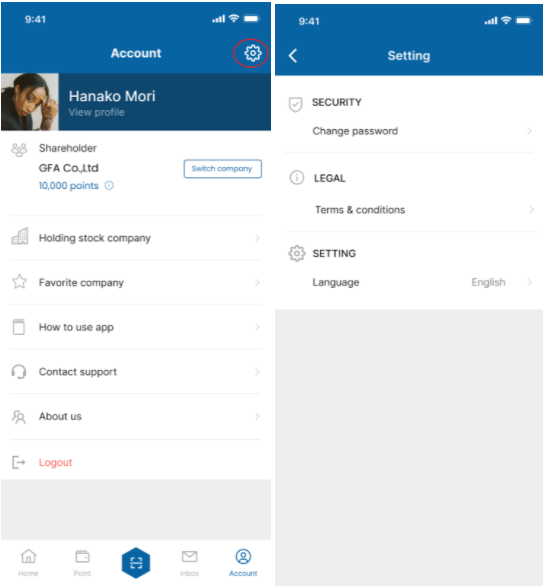
From Account menu, press on the Settings button on the top right corner.
Tap Change password under SECURITY.
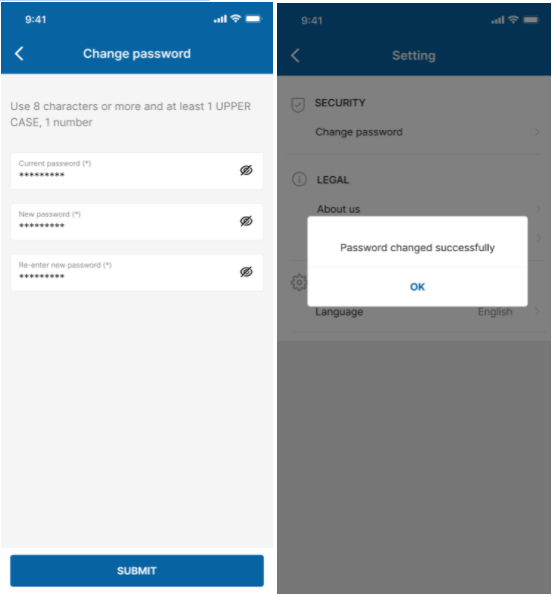
Enter information on current and new password, then tap SUBMIT.
Your password will then be changed.