How to Reset Your Password (If You Forgot Your Password and Cannot Log In)
Last updated: 2025/11/27
If you would like to reset your password, please follow the steps below.
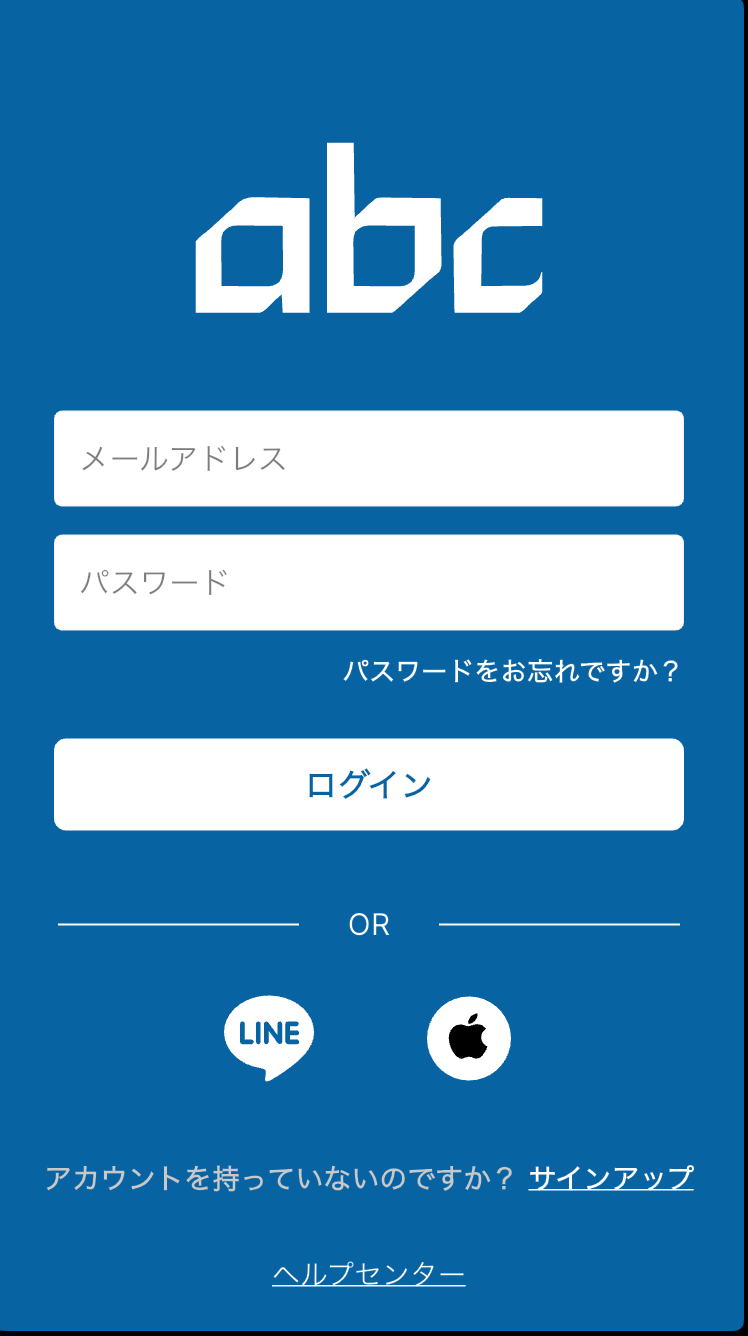
On the login screen, tap [Forgot your password?].
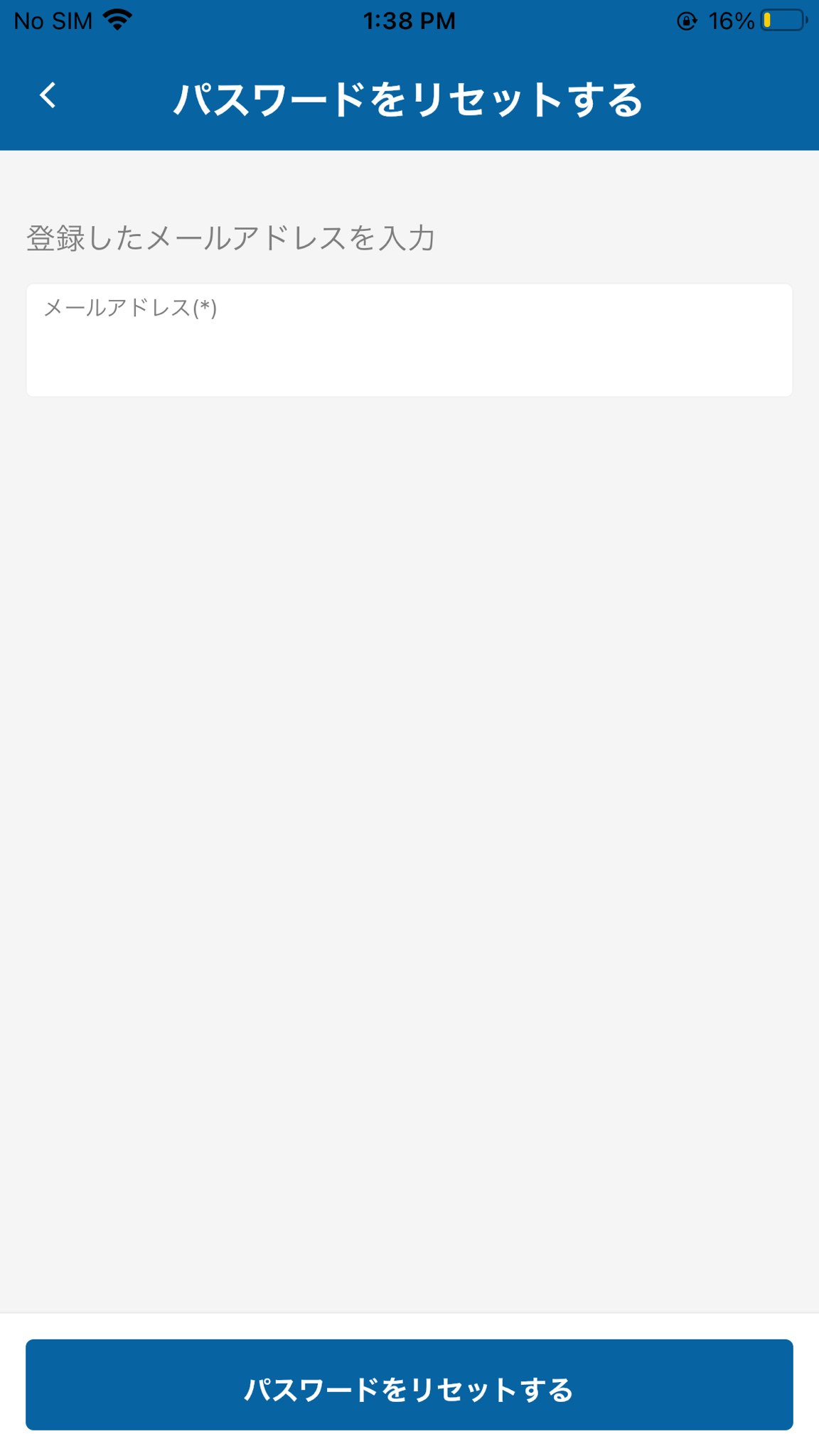
Enter your registered email address and tap [RESET PASSWORD].
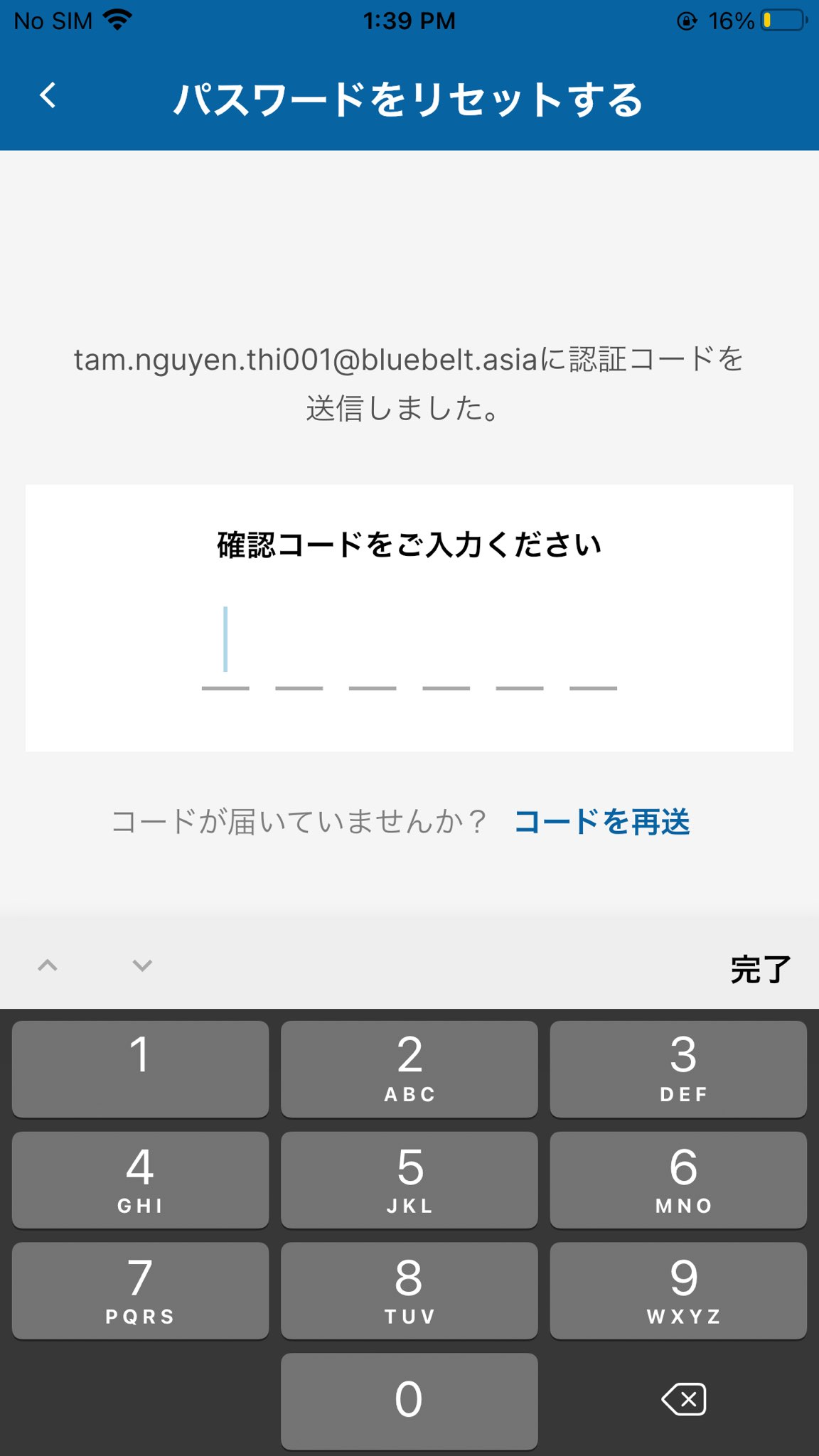
Enter the confirmation code sent to your registered email address.
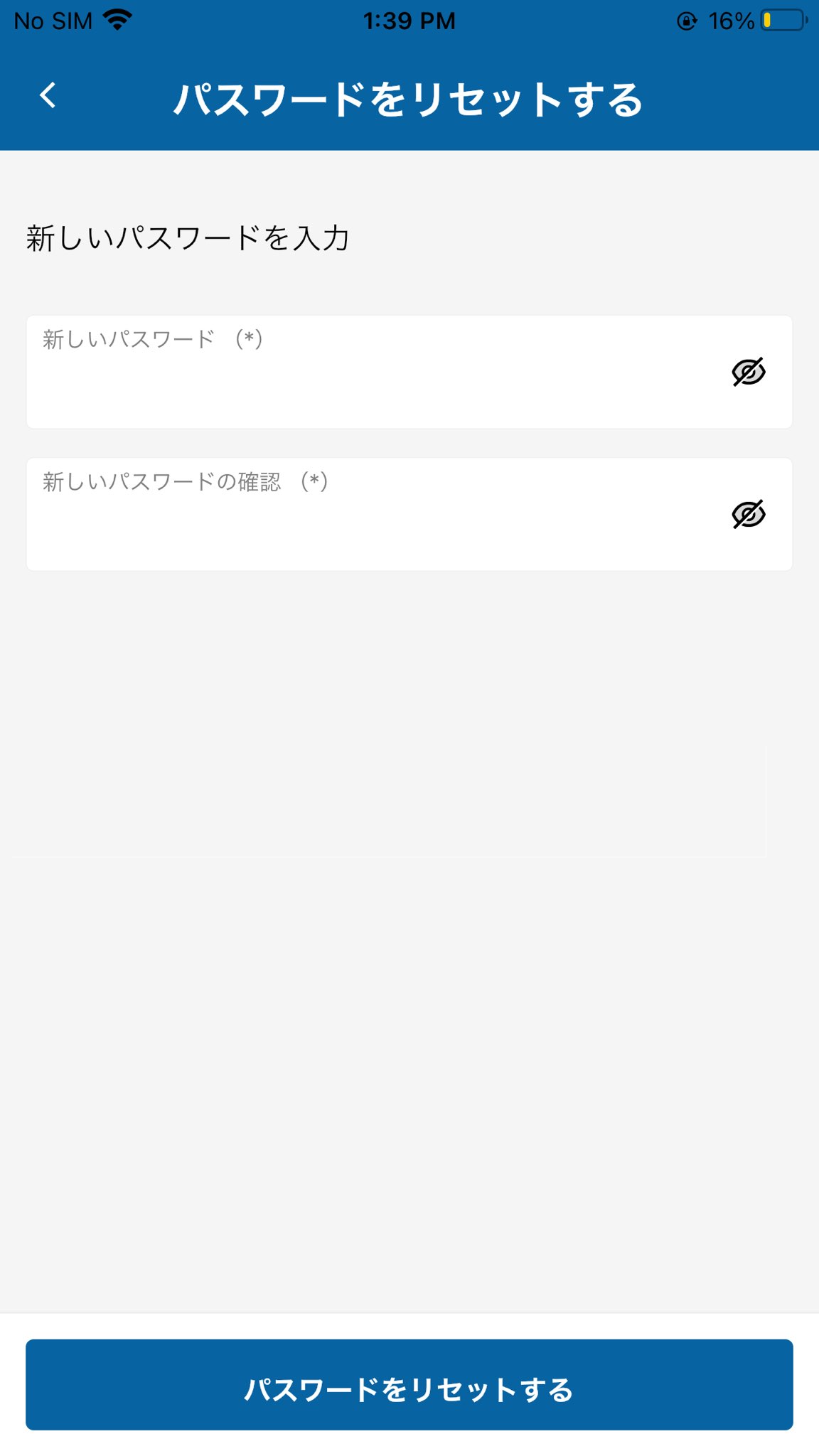
Enter and confirm your new password, then tap [RESET PASSWORD] to reset your password.