How To Link/Unlink Your Social Media Accounts
Last updated: 2024/08/23
It's a good practice to link your GFA account to social account. This way, you can login by just selecting your social account you linked from the app's login page.
I. How to link your account
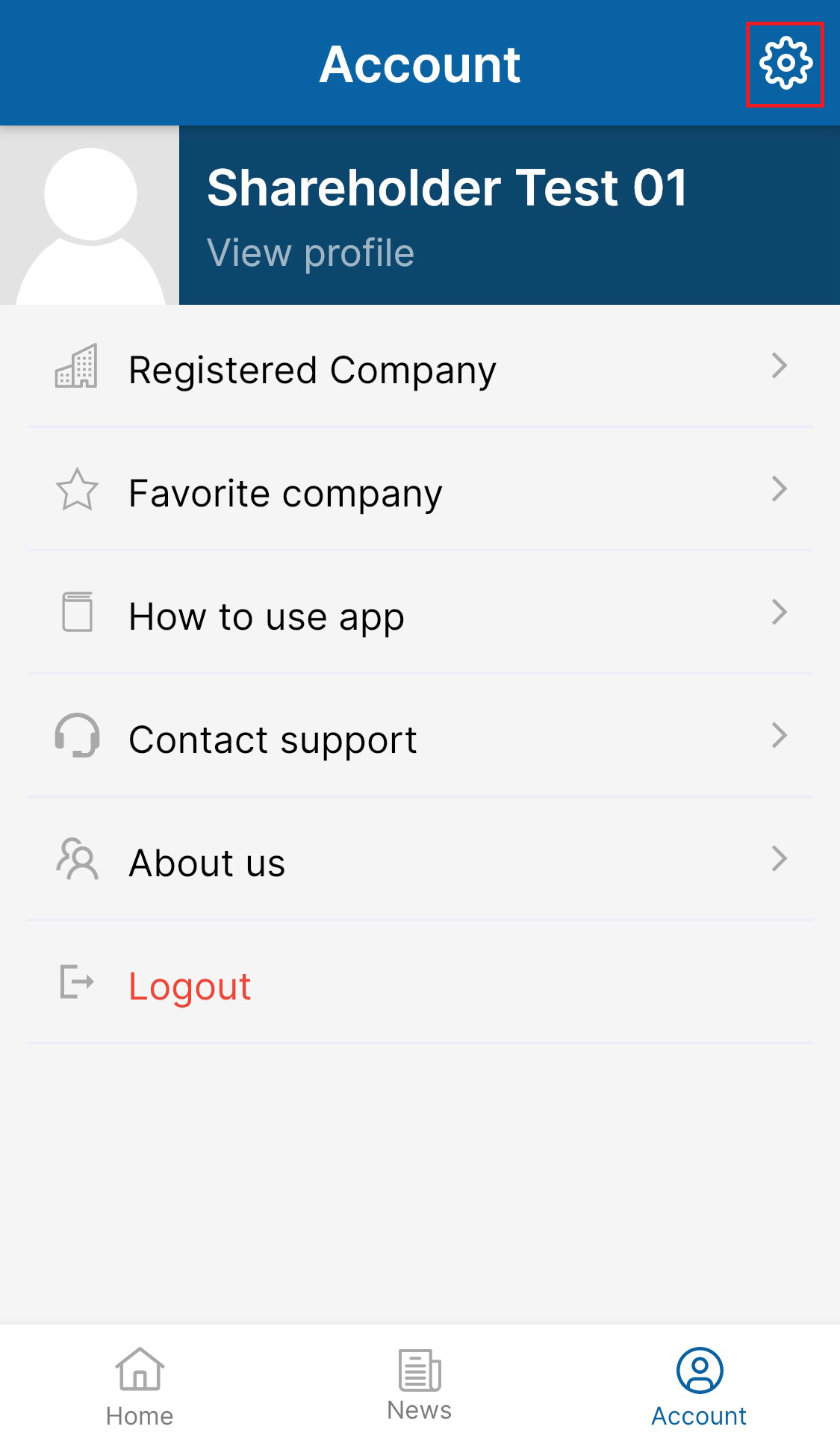
1.Tap "Account" from the bottom bar and select "Setting" 
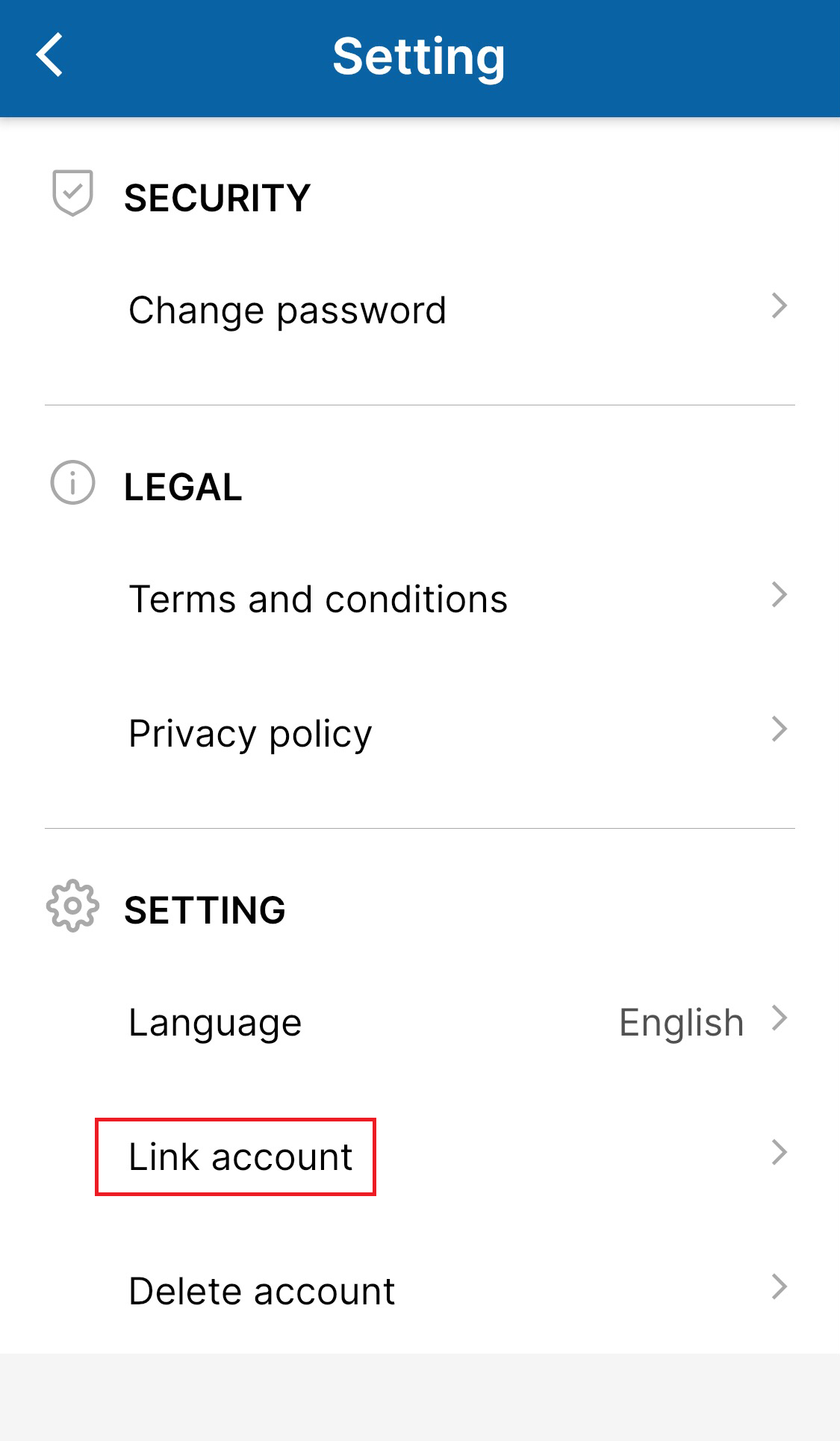
2.Choose ”Link account”.
3.Choose to link your account on the social account you want.
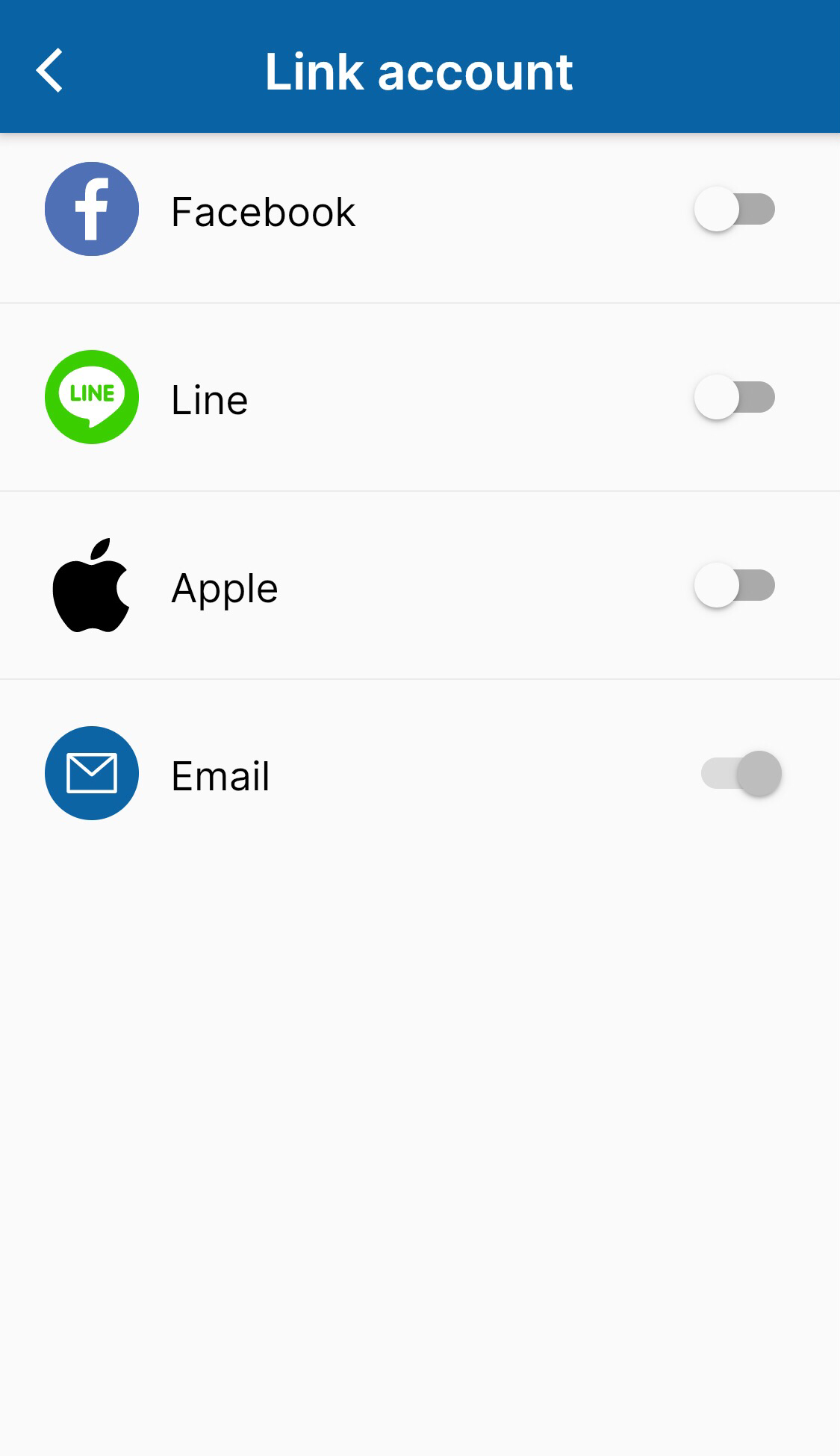
3.1 FACEBOOK
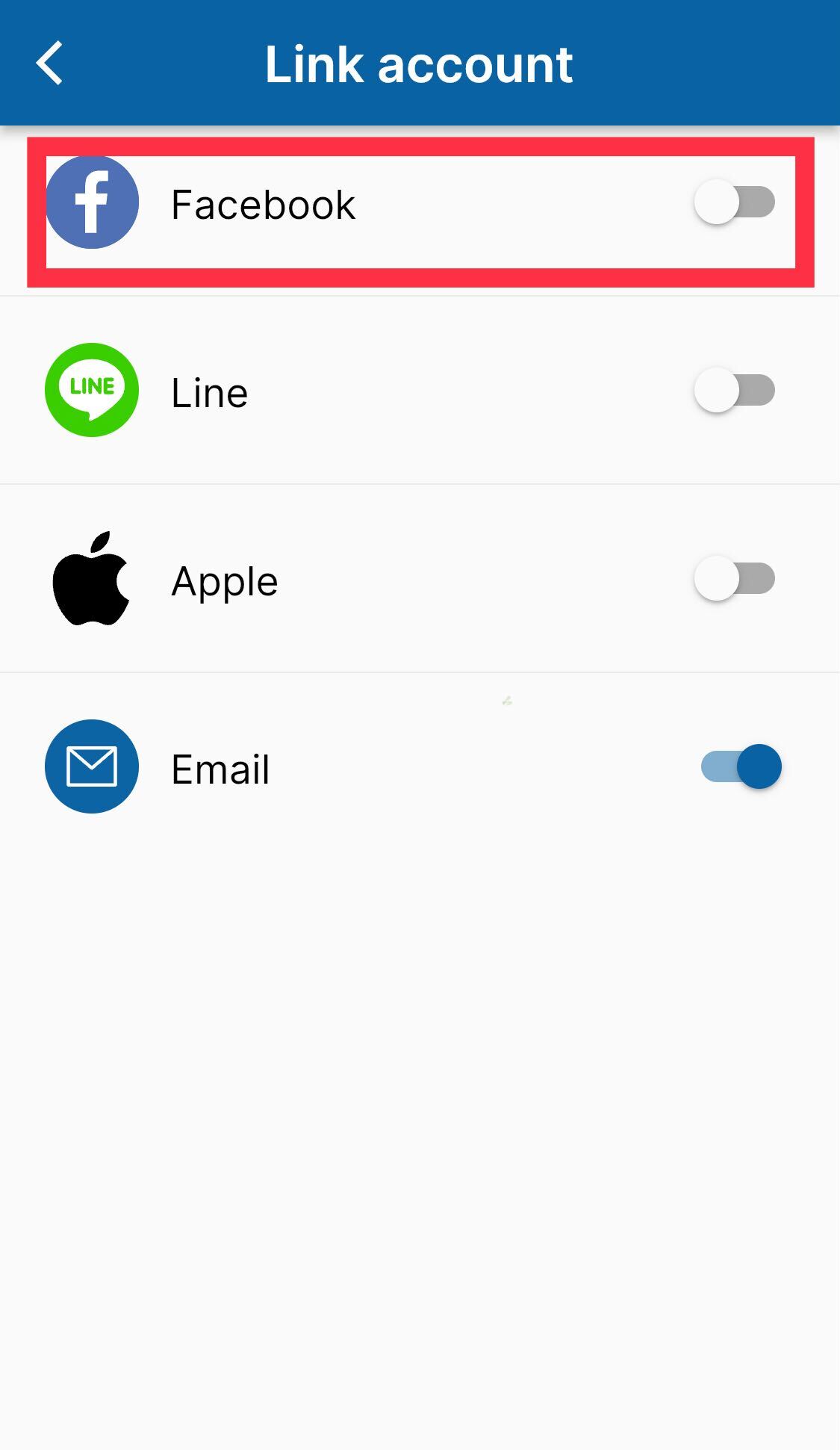
・Login Facebook with the account you want to link for Shareholder app in browser.
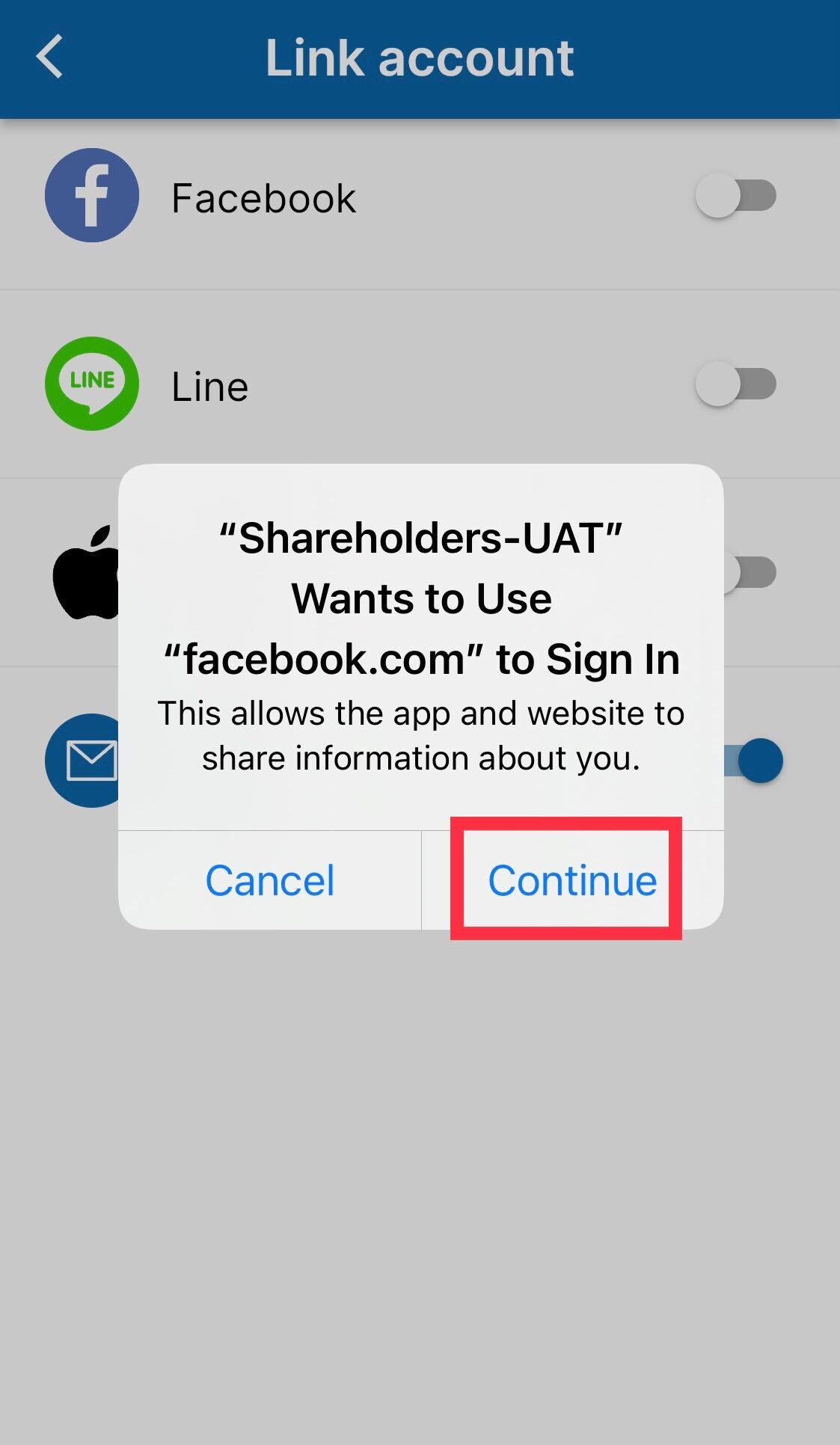
・Go to Link Account and choose "Facebook" > choose "Continue" and "Continue" when you're asked to be accept to use Facebook for sign in.
3.2 LINE
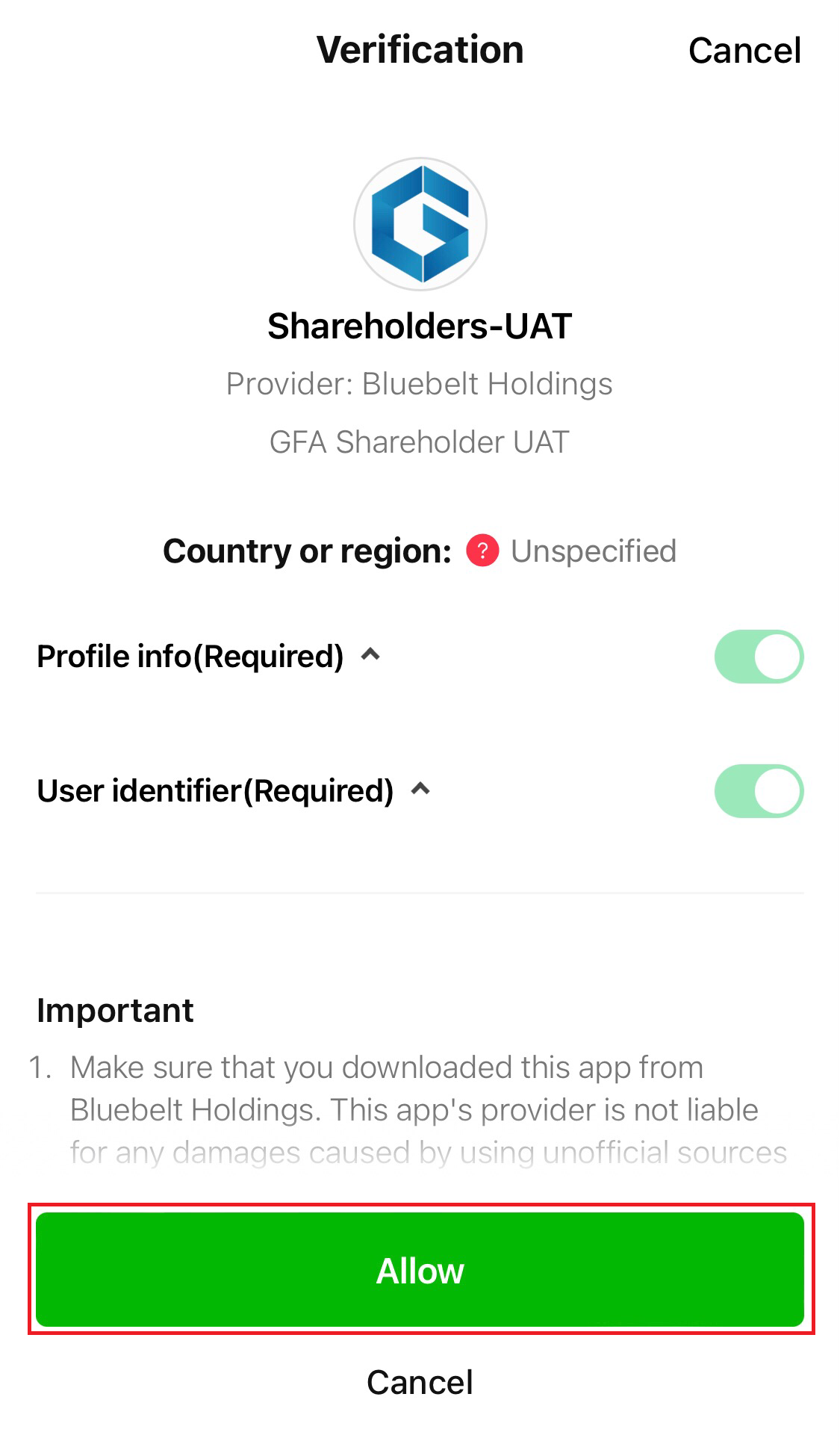
Tap ”LINE" on the "Link account" then you will be re-directed to LINE login page where you can authorize the link.
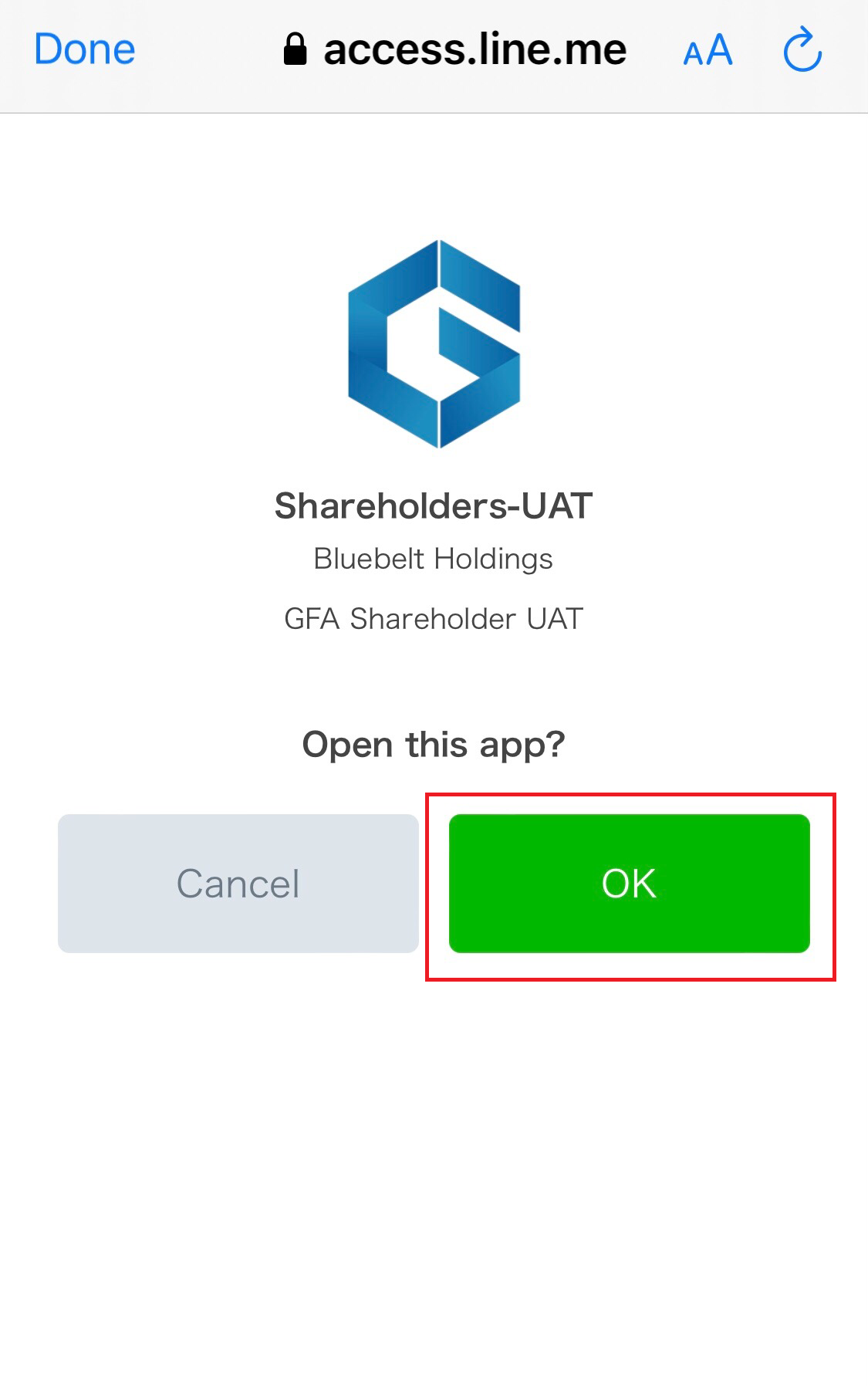
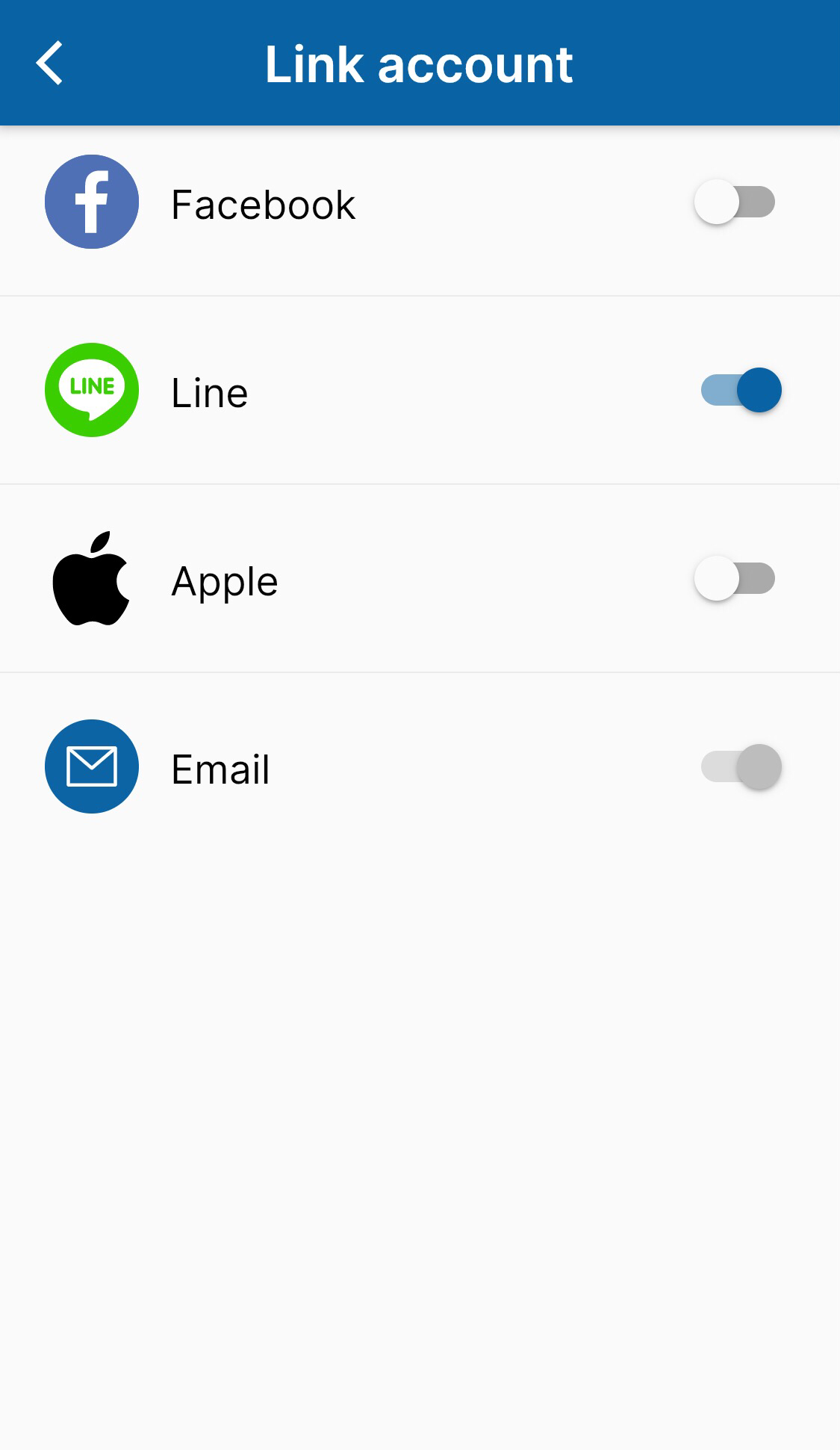
Turn the grey toggle buttons > Choose "Allow" > For "Open this app" choose "OK" > Once your social account is successfully linked, you will see the blue toggle buttons.
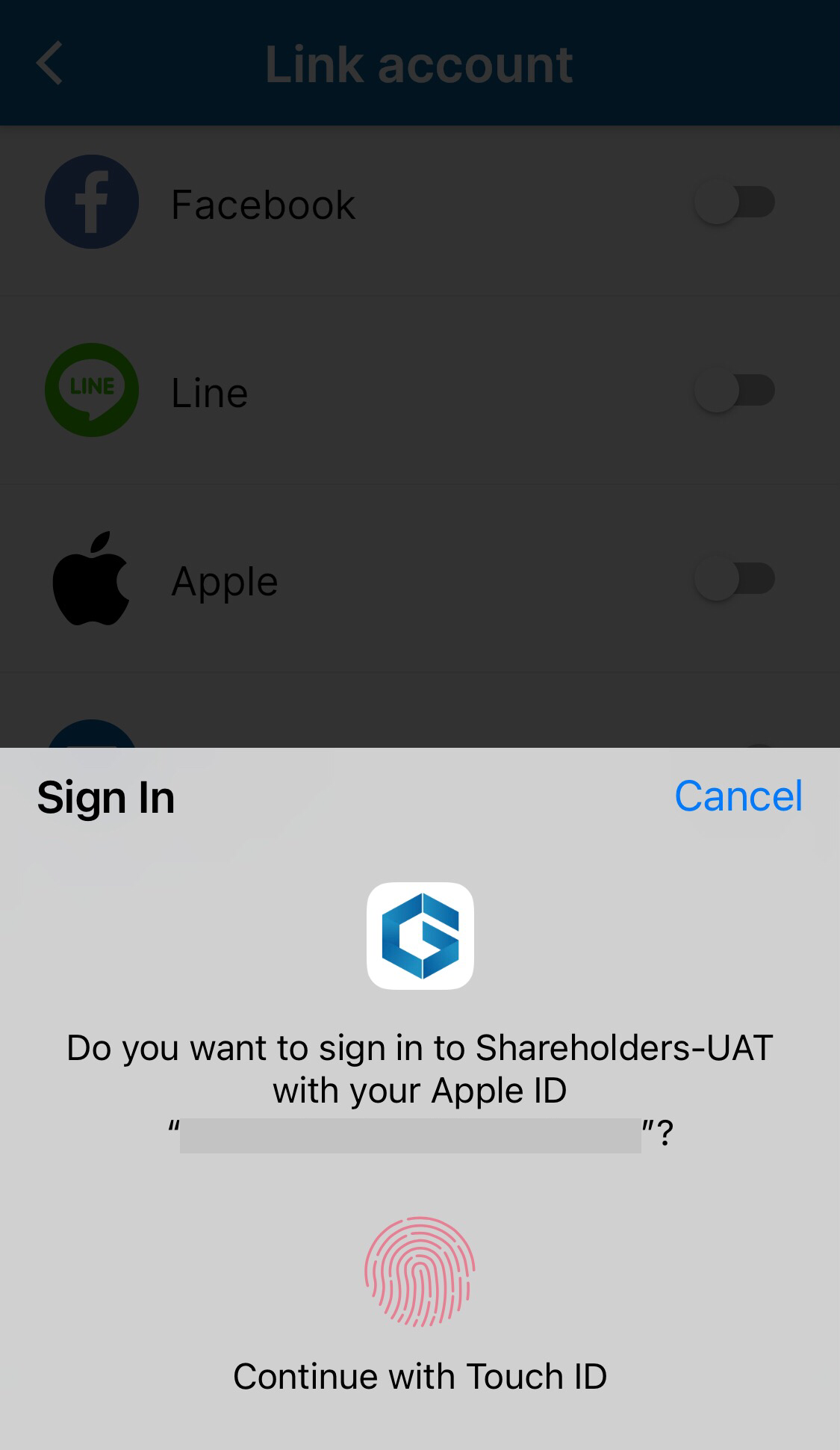
3.3 APPLE
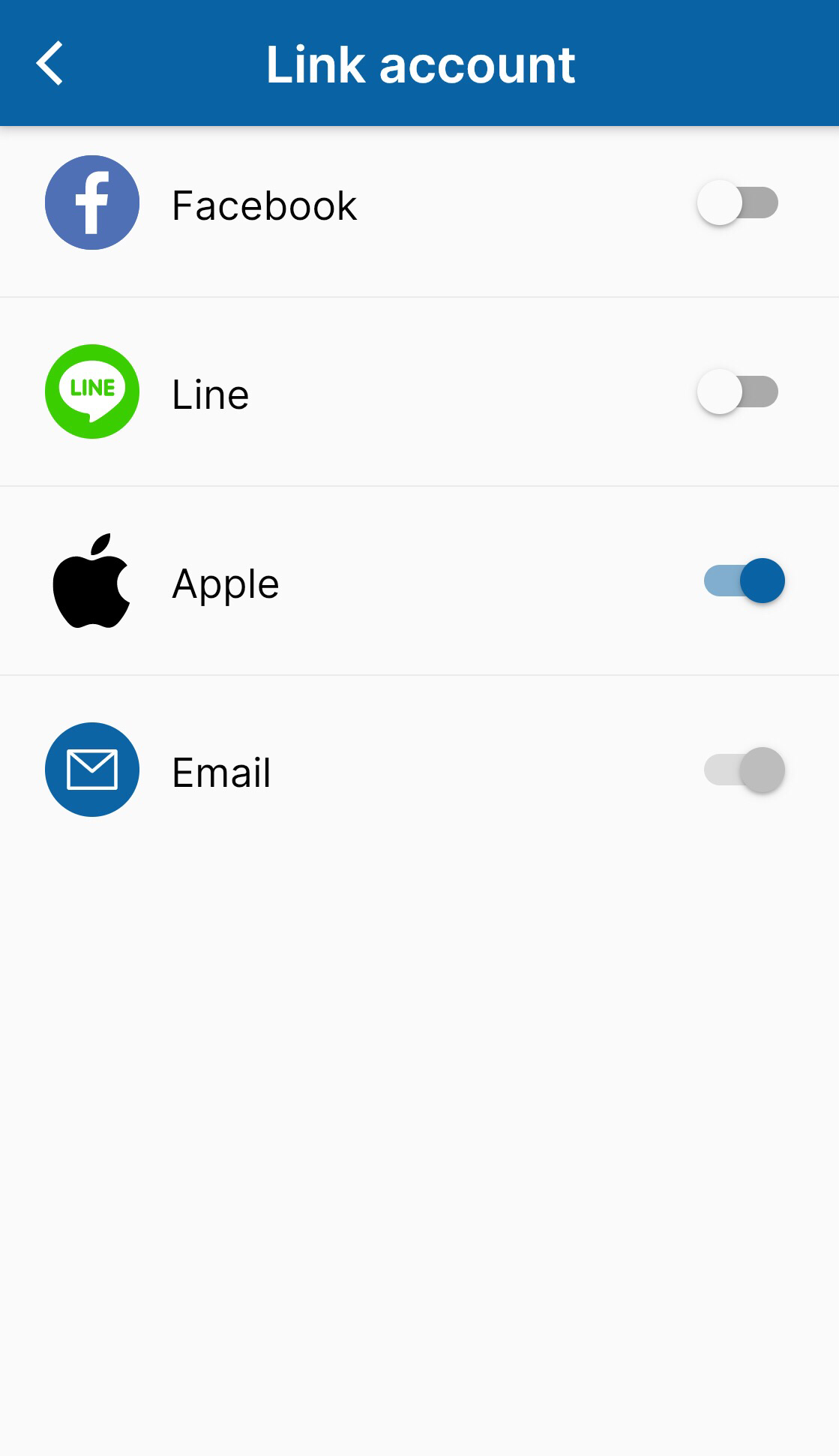
Turn the grey toggle buttons > Choose "Continue with Touch ID" > Once your social account is successfully linked, you will see the blue toggle buttons.
3.4 Email
・First, let's login by Facebook /Line/Apple.
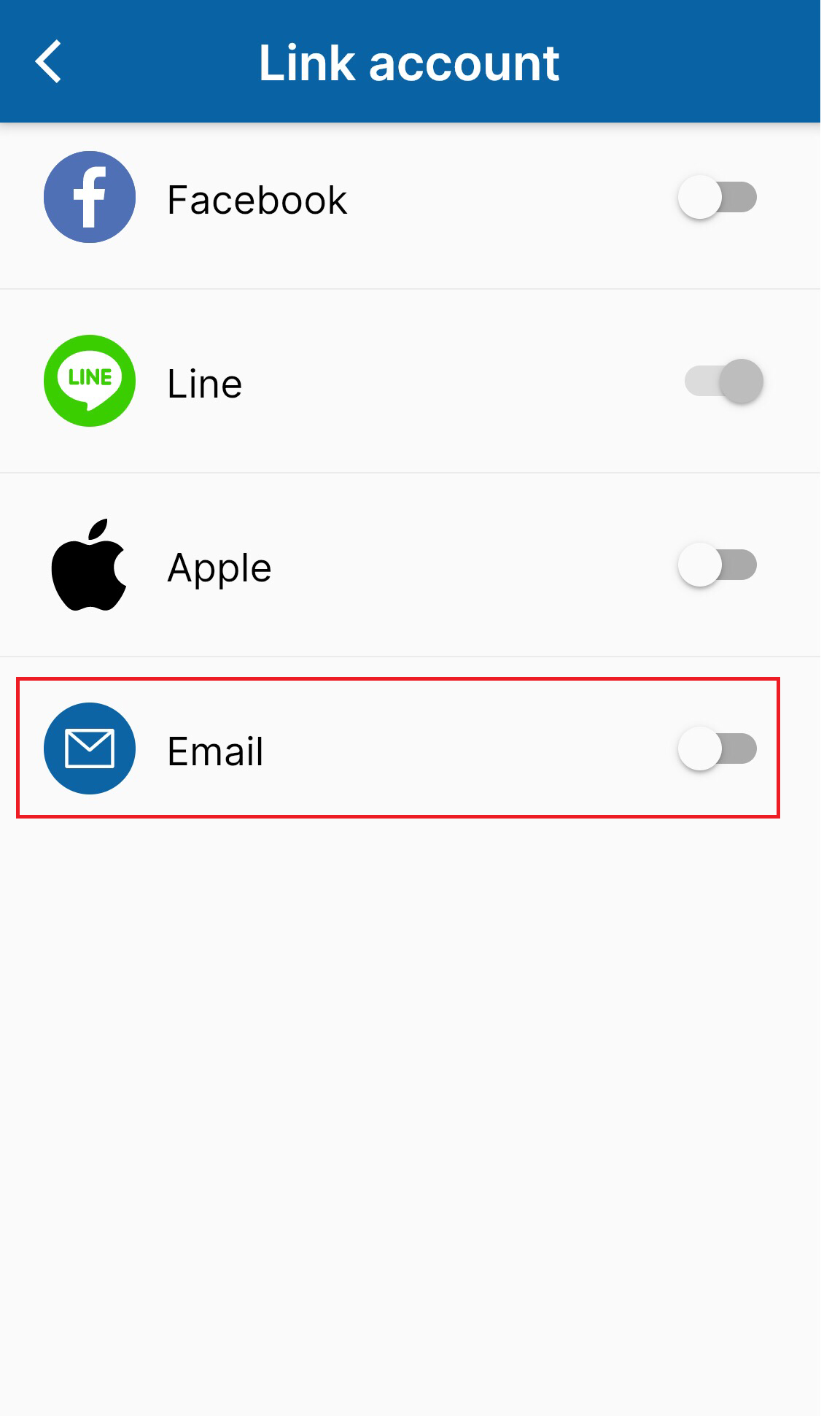
・Then, go to "Link account" and choose "Email"
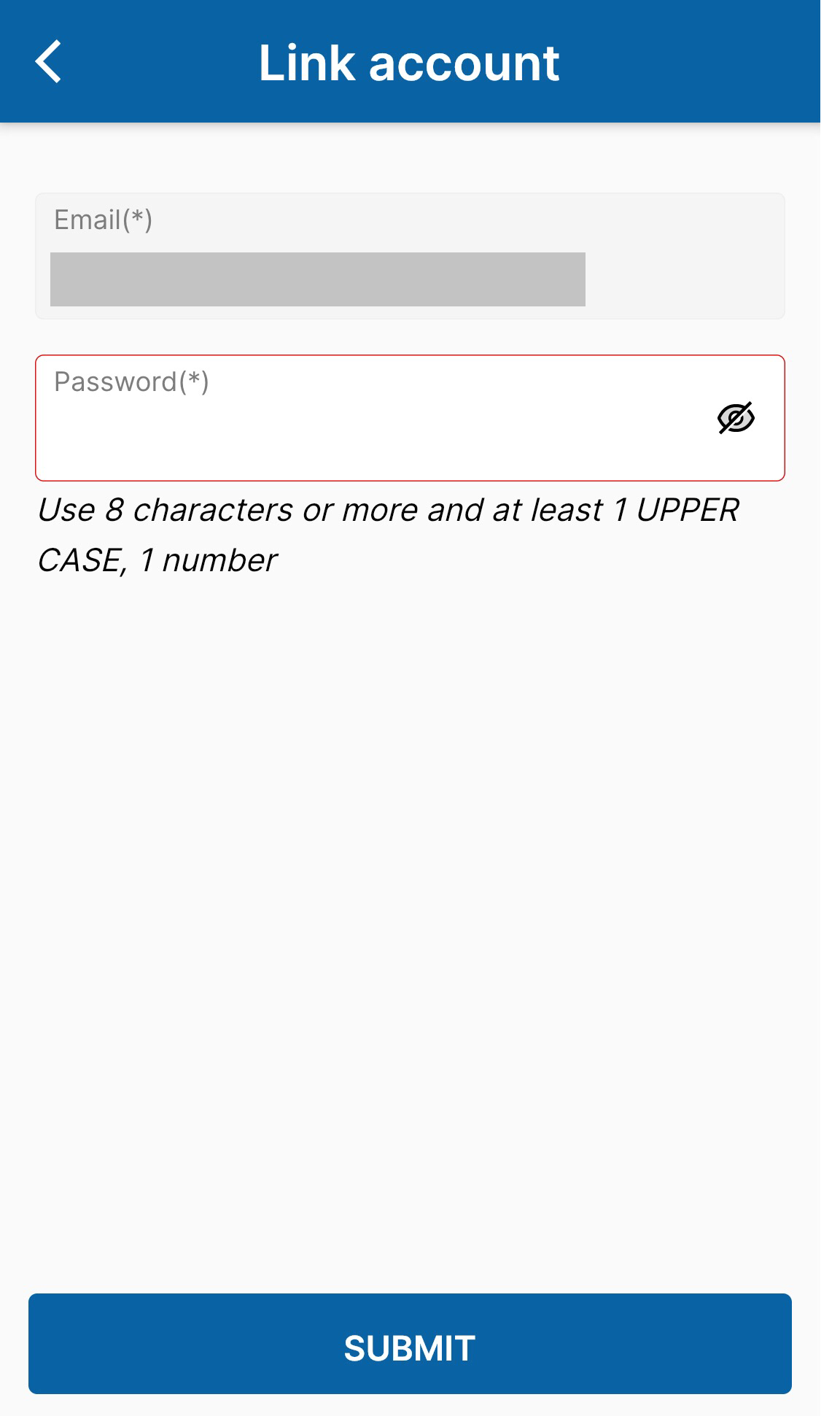
・The app will auto fill the Email (reigisted for Facebook/Line/Apple). You need to fill Password you want to register for the app, and then choose "SUBMIT".
II. How to unlink your profile
- Tap Account from the bottom bar and select Setting.
- Toggle off the linked accounts you want to unlink.
*NOTE: You can not unlink the account you registered before If you do not link to another social account at that time. Therefore, If you want to unlink one social account, make sure that there is atleast another social account or emal that is being linked.