How to register as a shareholder?
Last updated: 2024/08/23
If you are a shareholder of a company, please register as a shareholder to confirm your points you get from that company.
There are 2 ways to register as a shareholder.
Option 1
Go to Point Menu >Tap REGISTER SHAREHOLDER
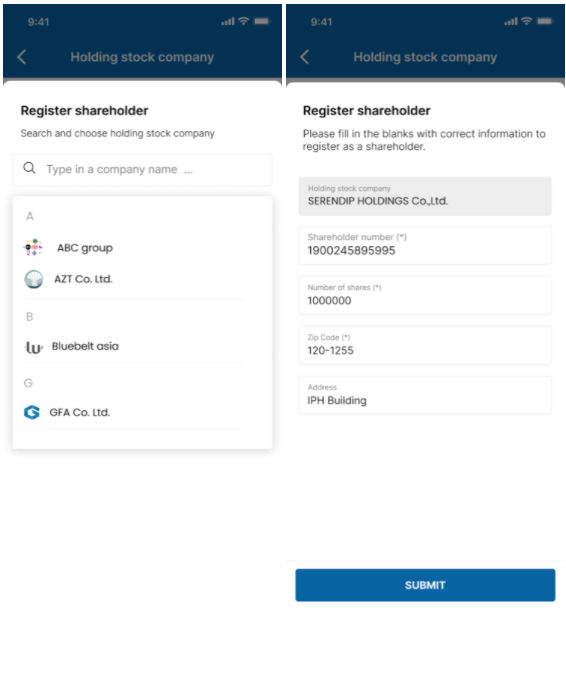
Search and choose the holding stock company.
Fill in shareholder number, number of shares, ZIP code and address.
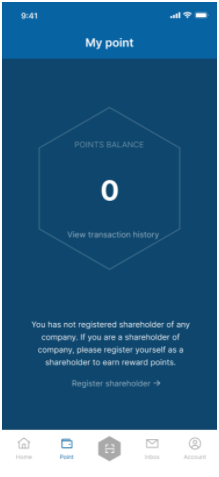
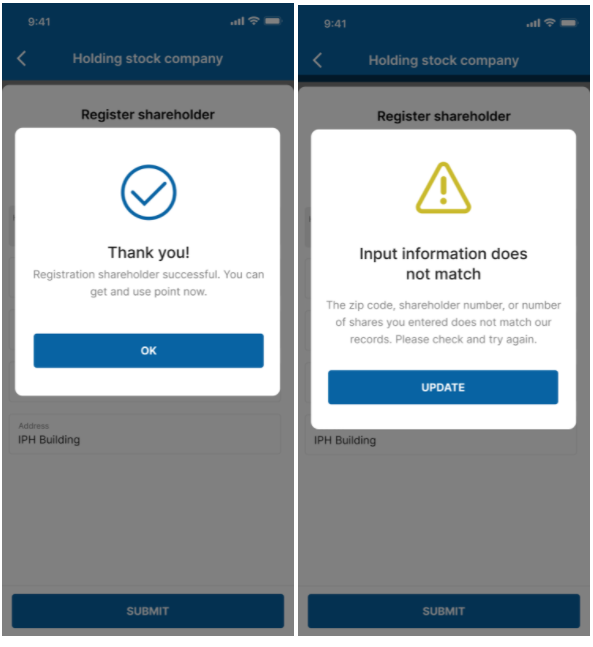
If all the information you enter matches our data, the registration will be successful.
If any of them does not match our data, you will need to check the information again and make another attempt.
Option 2
From the Account Menu, choose Holding stock company.
Tap on REGISTER SHAREHOLDER.
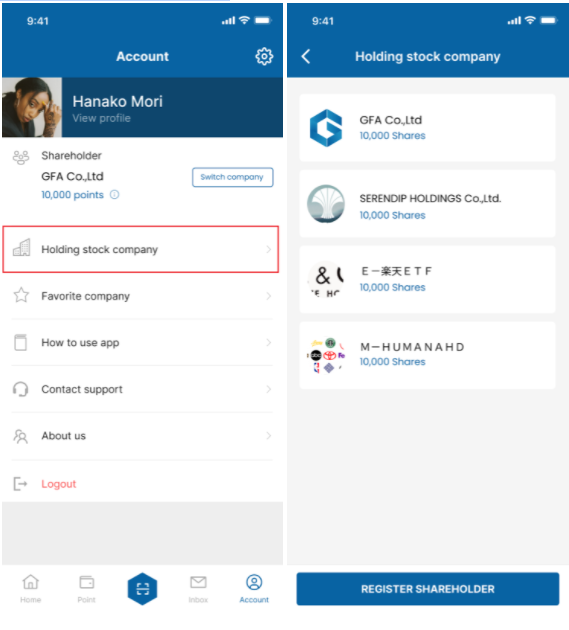
Search and choose the holding stock company.
Fill in shareholder number, number of shares, ZIP code and address.
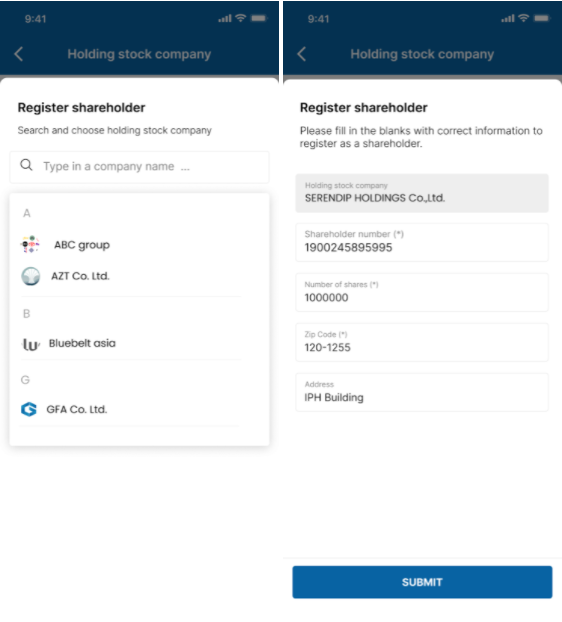
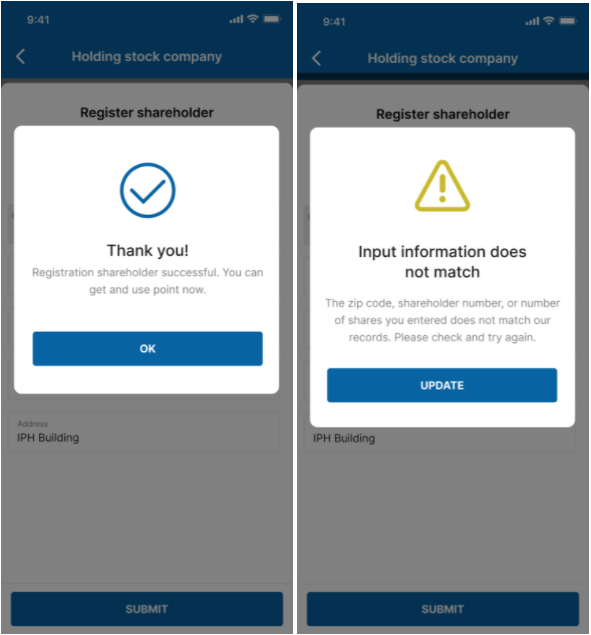
If all the information you enter matches our data, the registration will be successful.
If any of them does not match our data, you will need to check the information again and make another attempt.