How to Send Points to Other Users
Last updated: 2025/11/27
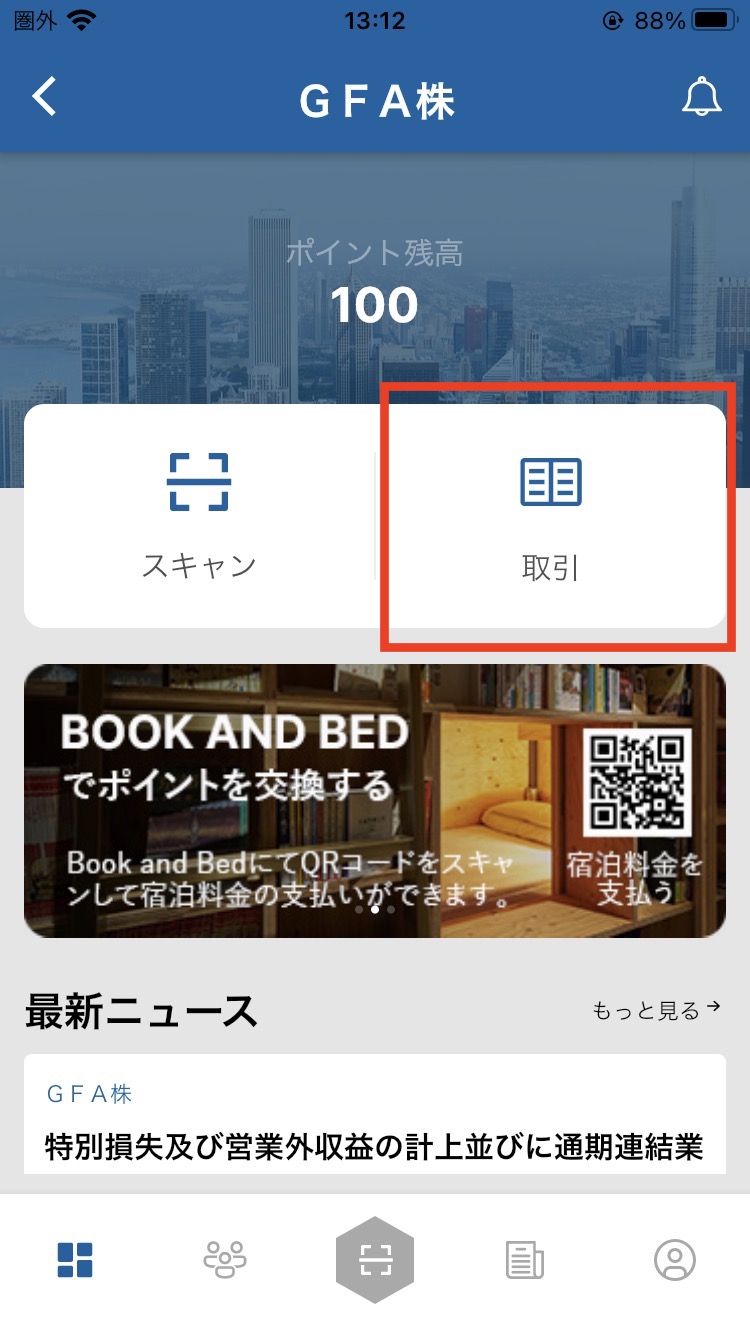
Go to the shareholder page.
Open the scan screen and scan the My QR code of the person you want to send points to within the frame.
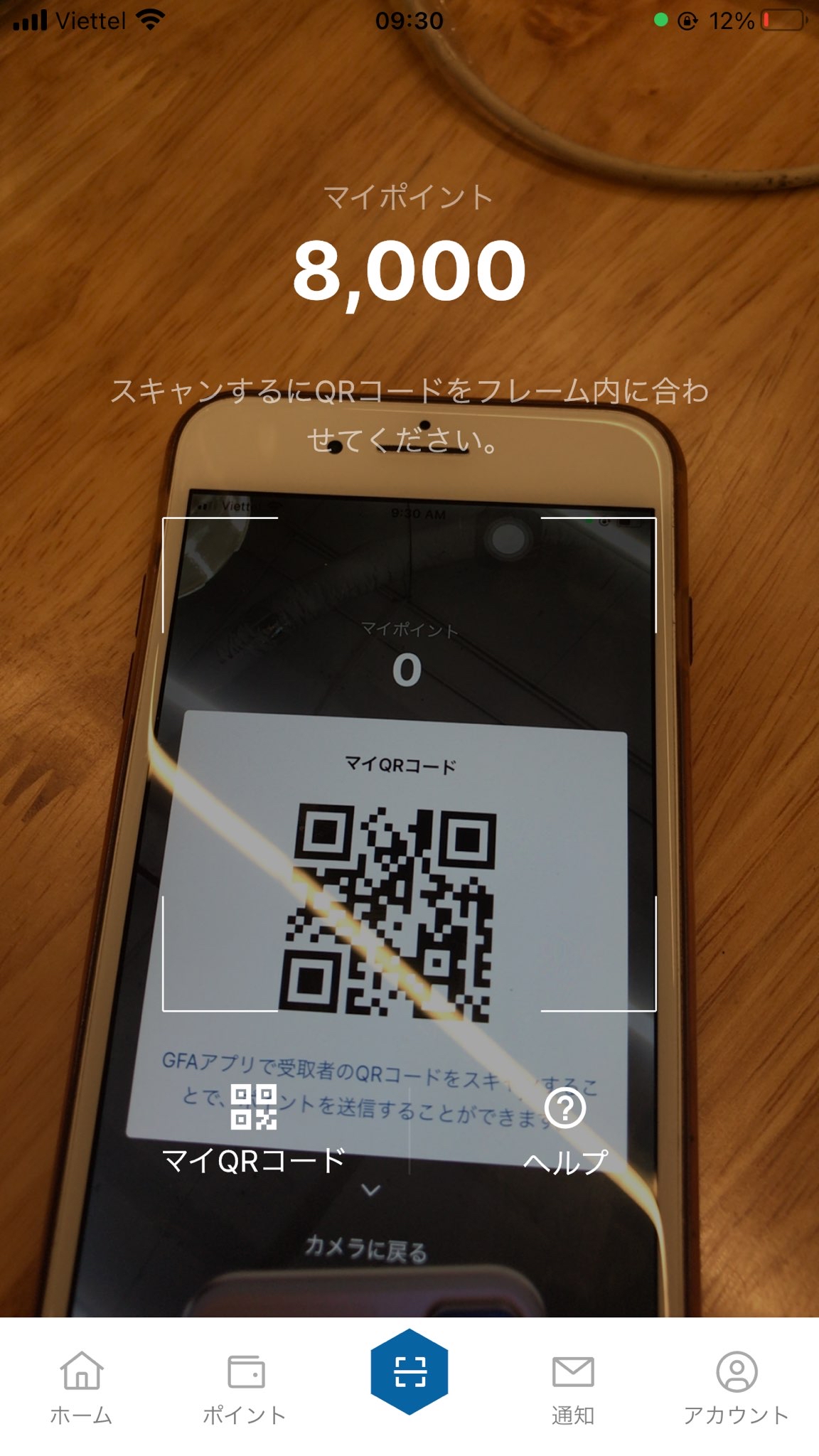
If the QR code is valid, an input screen will appear.
On the input screen, you can enter the number of points and the transaction details.
Once you have finished entering the information, tap the Next button.
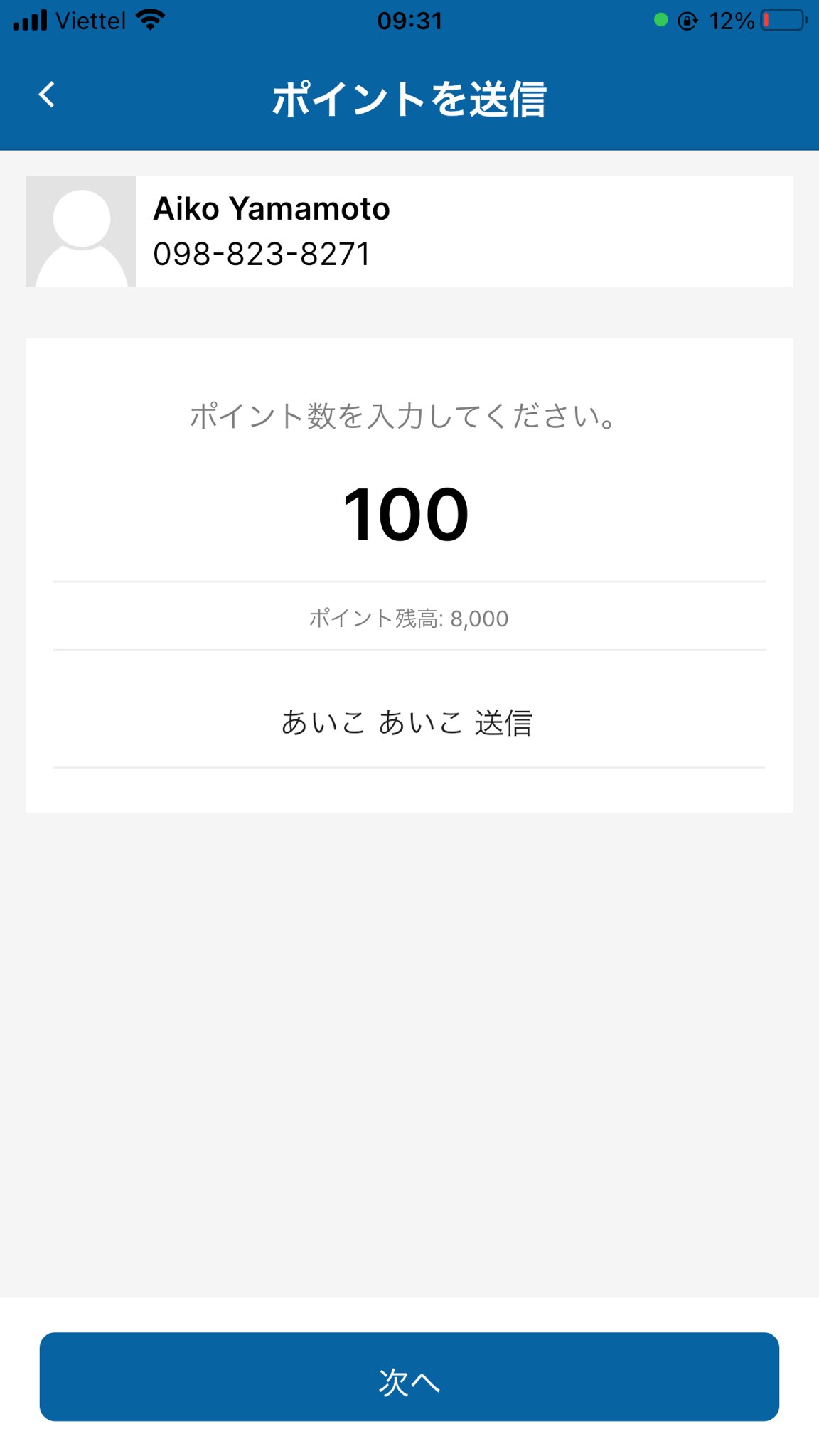
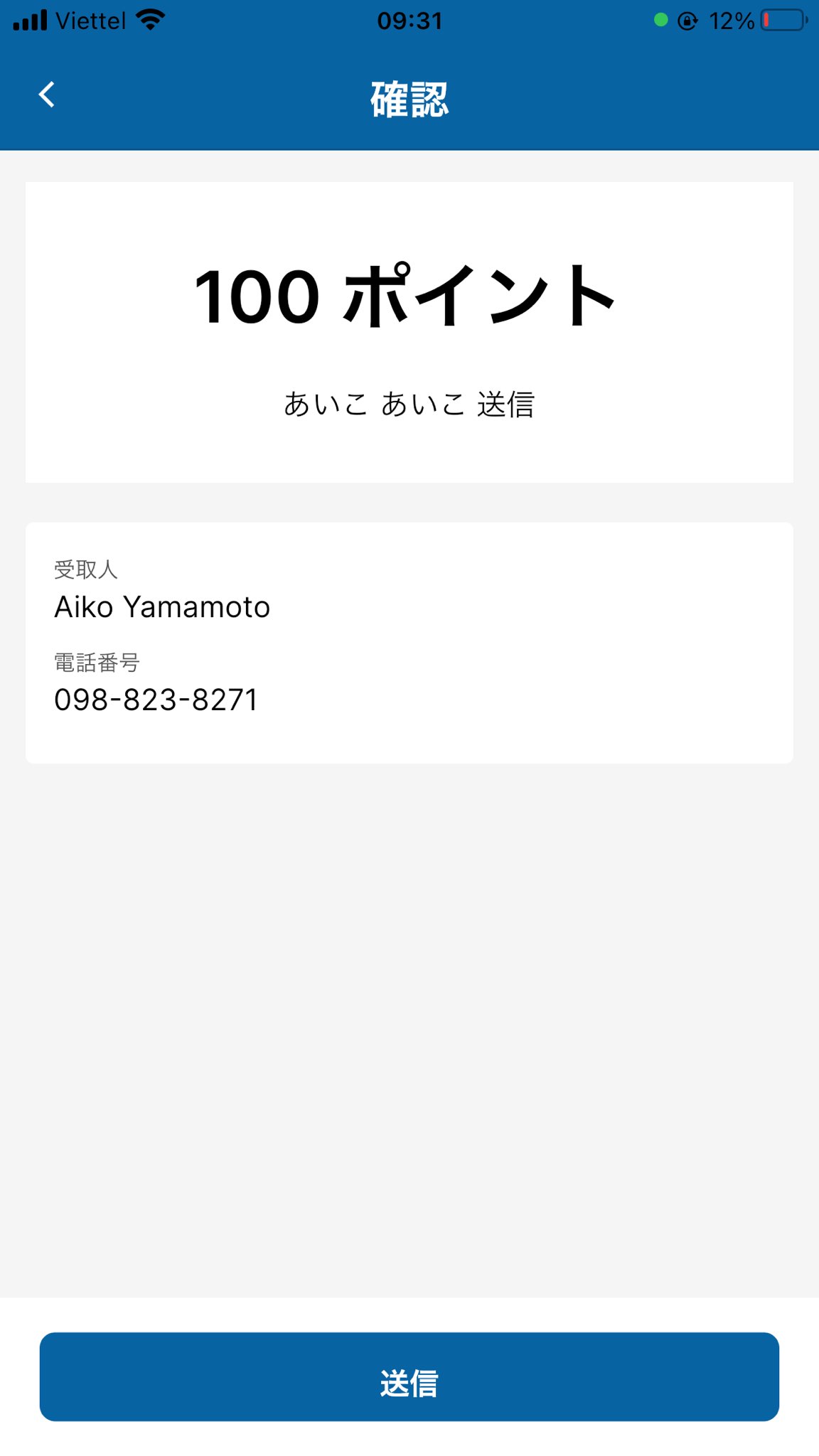
Confirmation screen: review the details, and if everything is correct, tap the Send button.
Once the points have been sent, you will receive a transaction notification and an email.
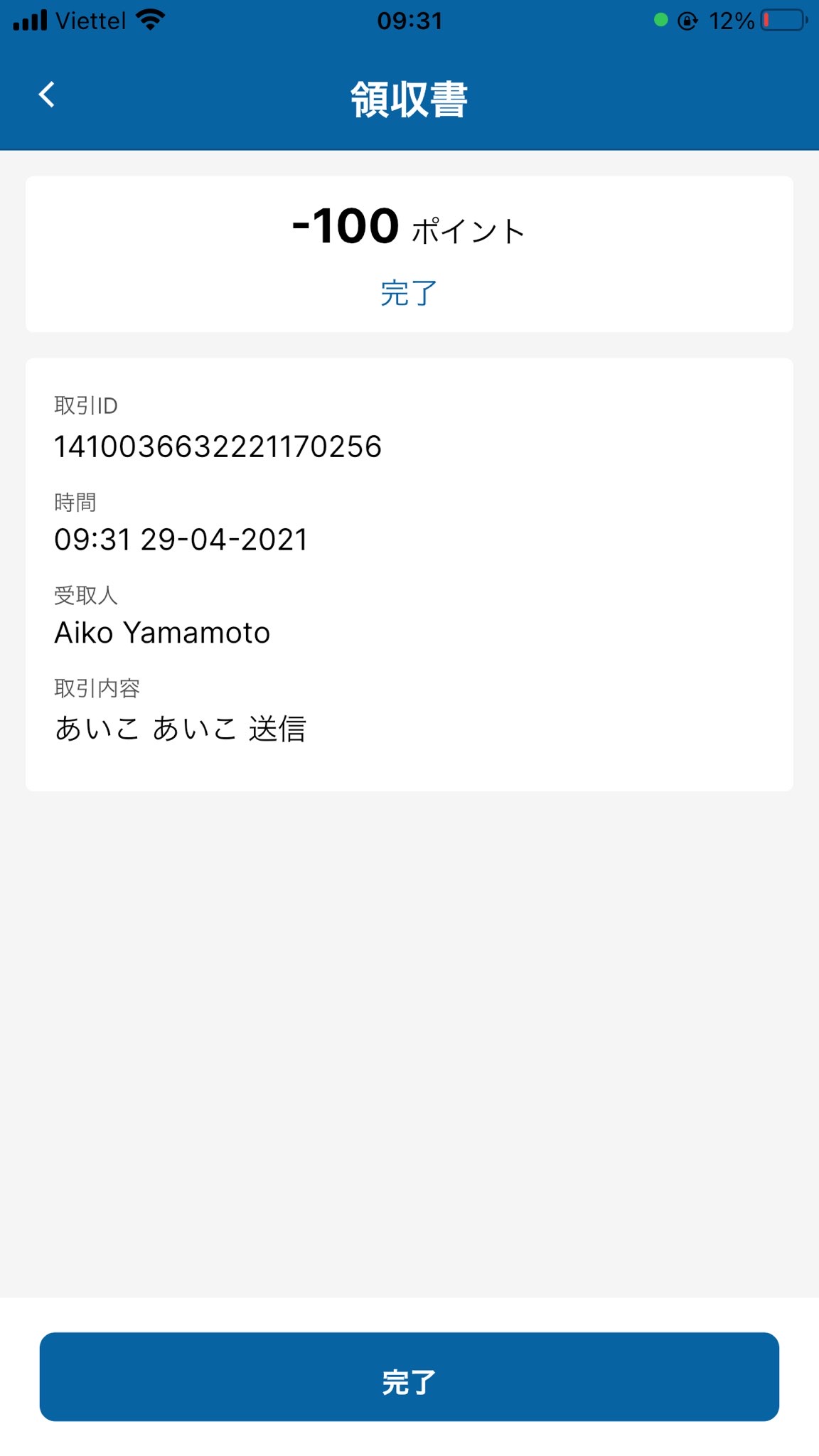
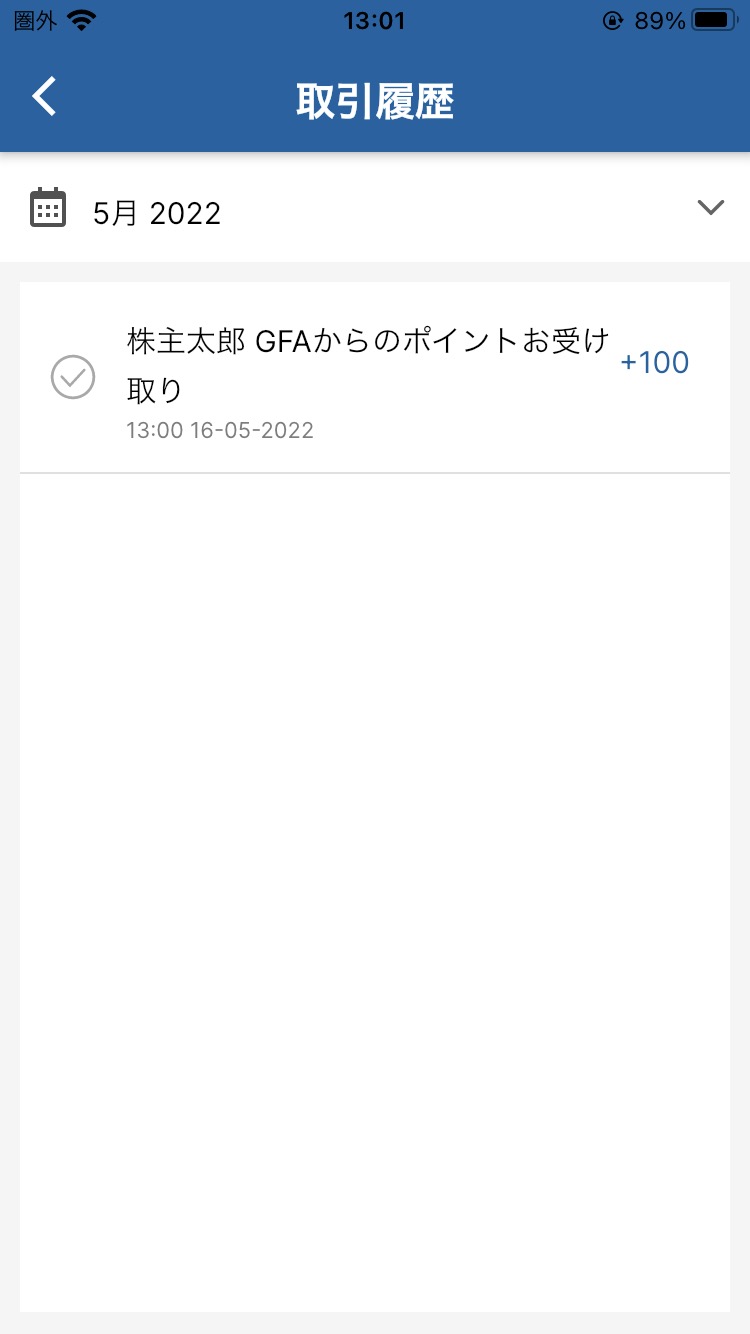
Transaction History also allows you to check the transaction.