How to pay at partner stores
Last updated: 2025/11/27
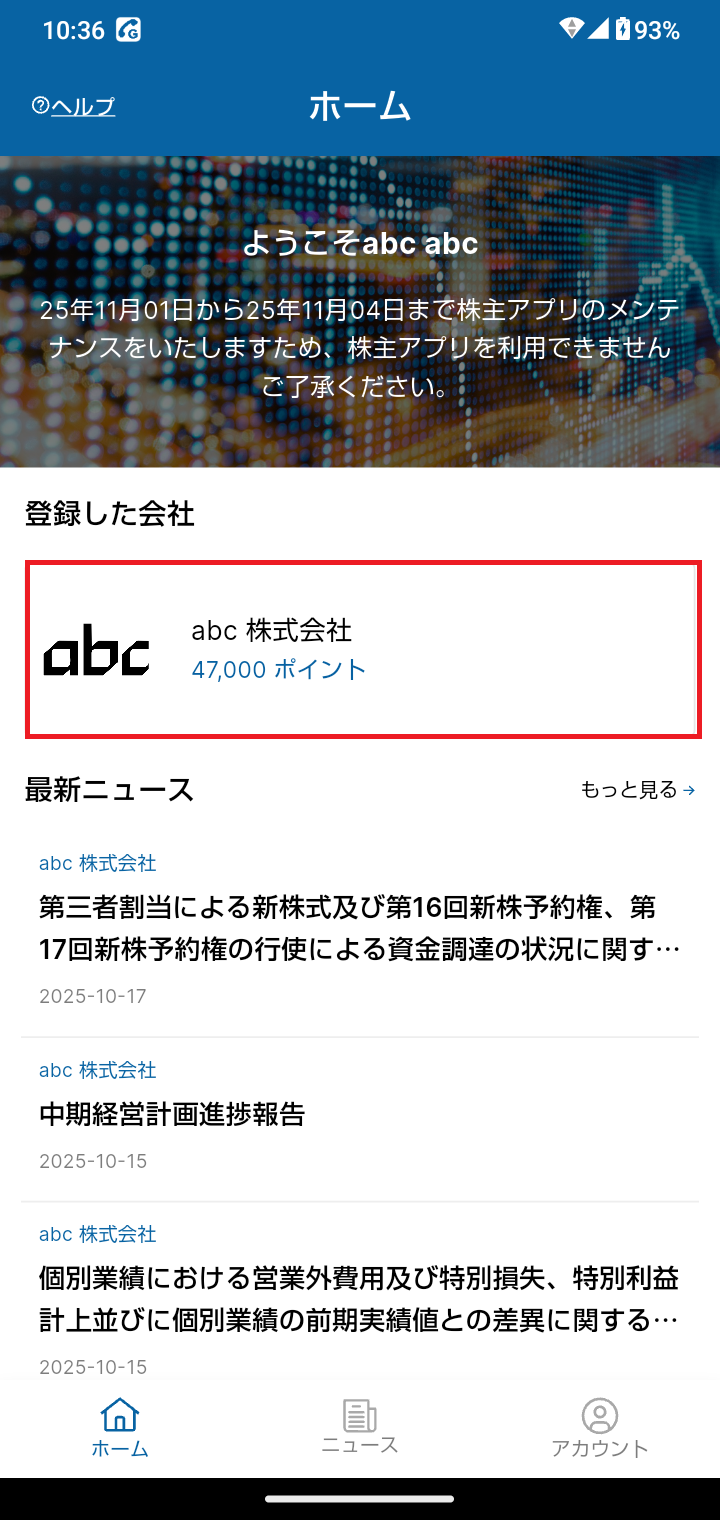
From the home screen, select the icon for abc Inc. (the company you registered).
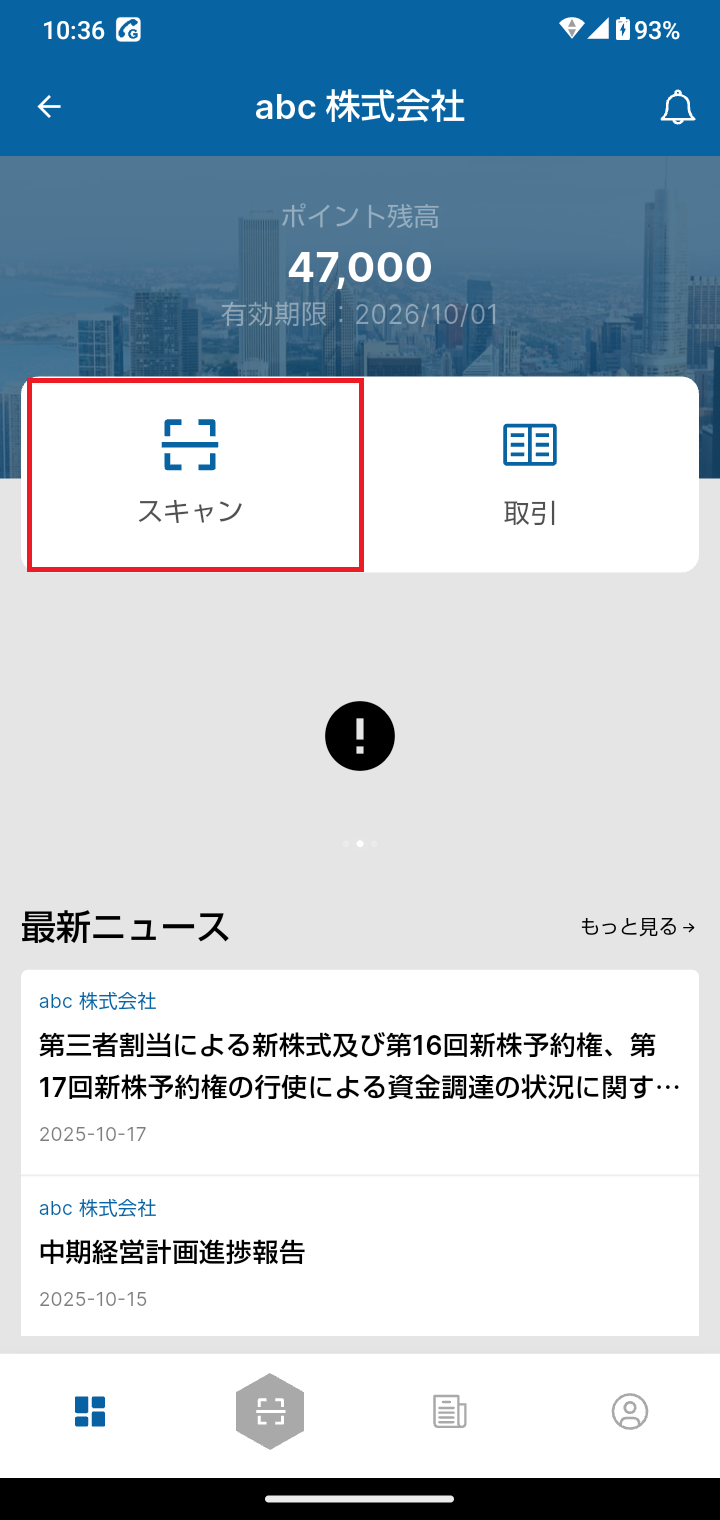
Open the scan screen from the shareholder screen, and position the QR code within the frame.
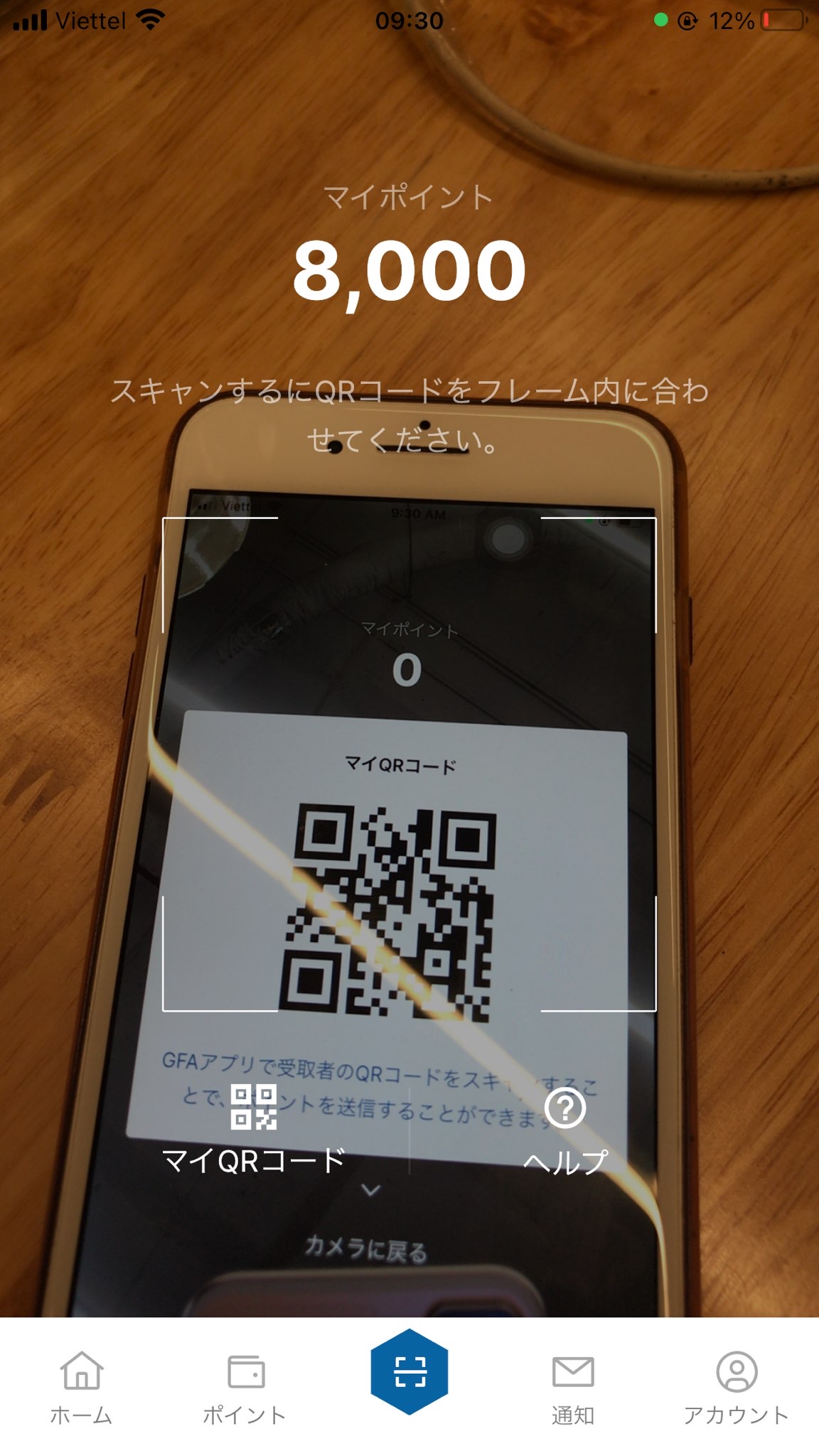
If the scanned QR code is valid, an input screen will appear, where you can enter the number of points to use and the transaction details.
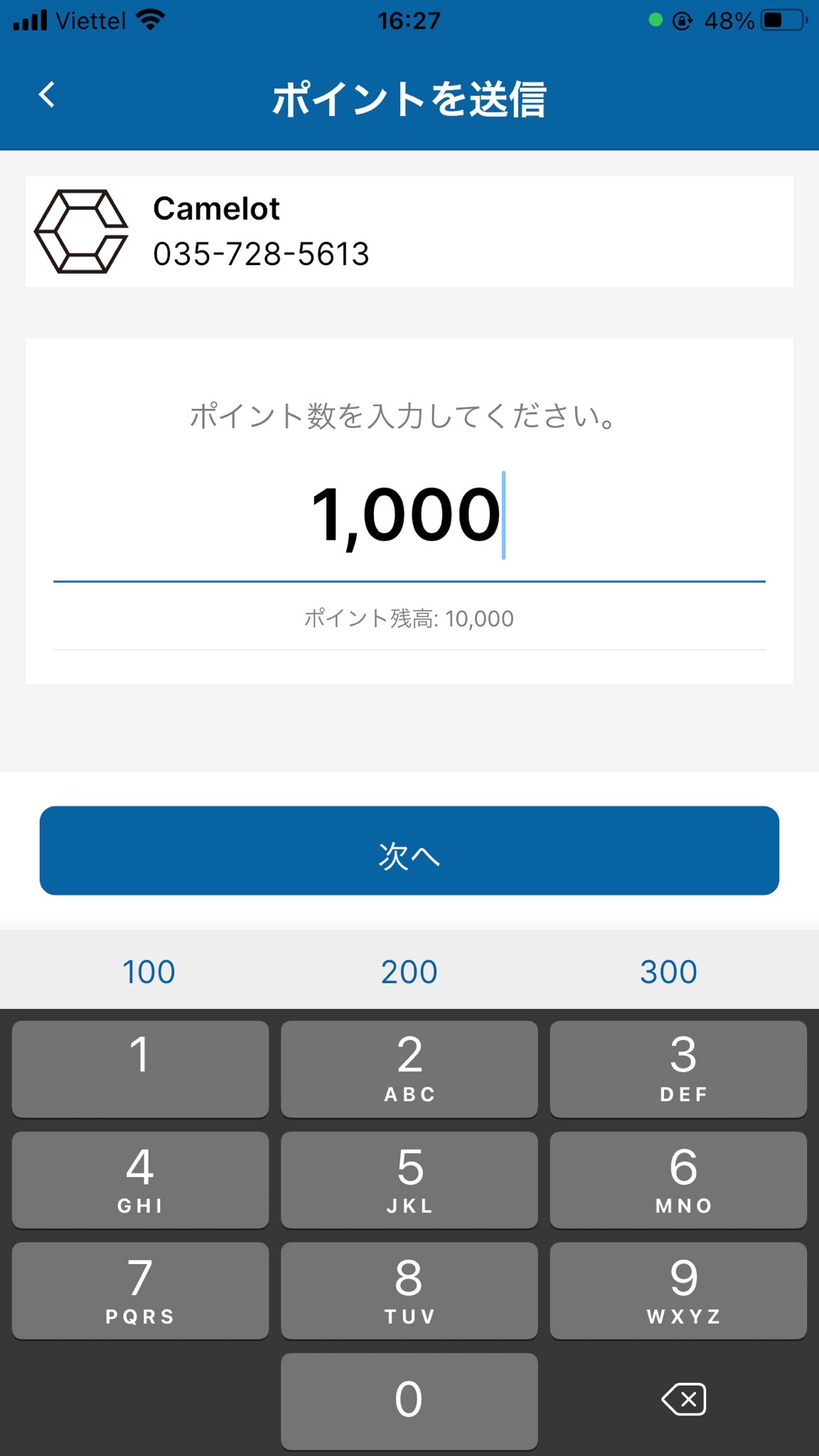
Once you have finished entering the points to use, tap the "Next" button.
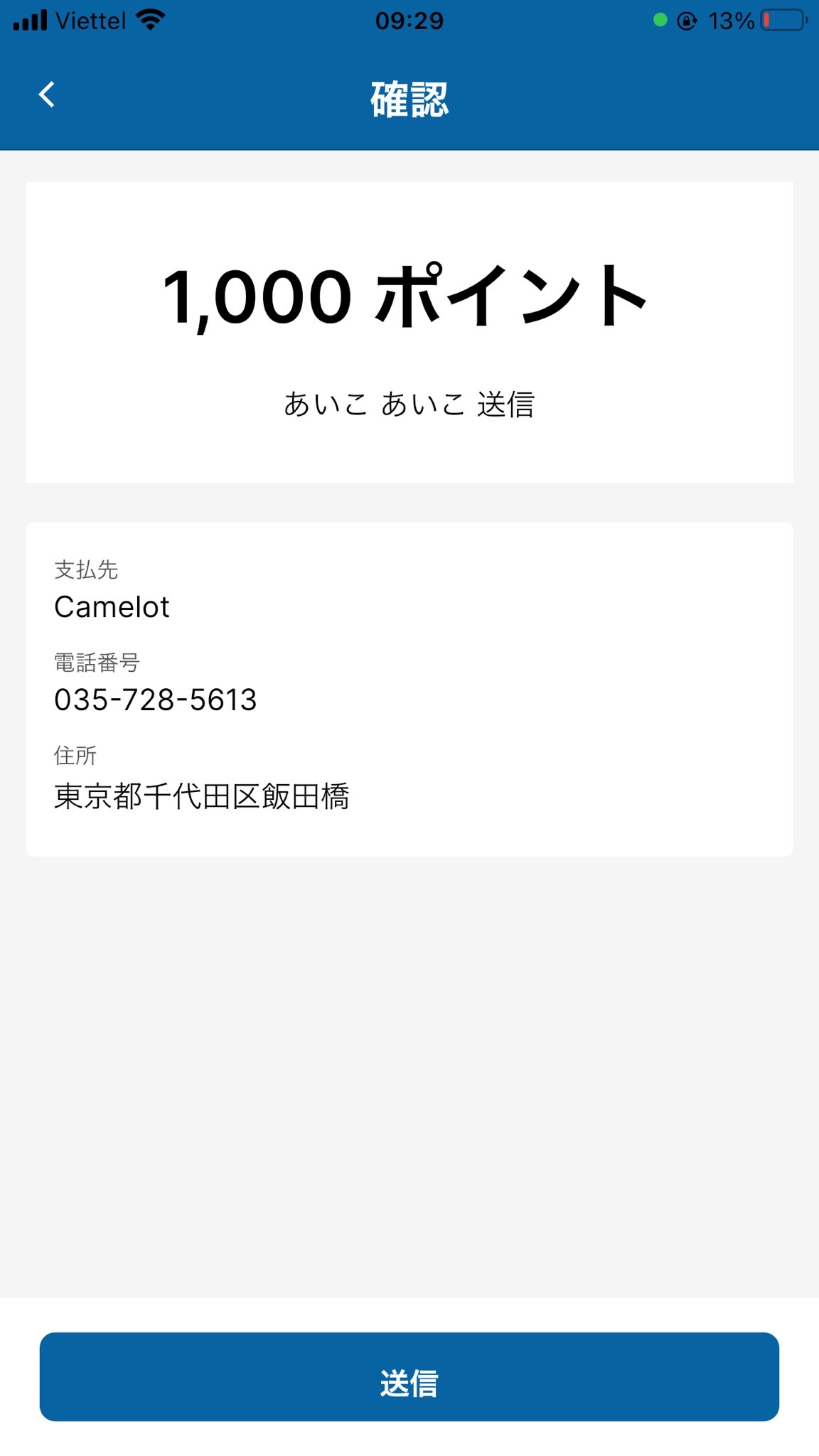
You will be taken to the Confirmation screen, so review your entered information once more, then tap the "Submit" button.
Once your payment is complete, you will receive a transaction notification and an email.
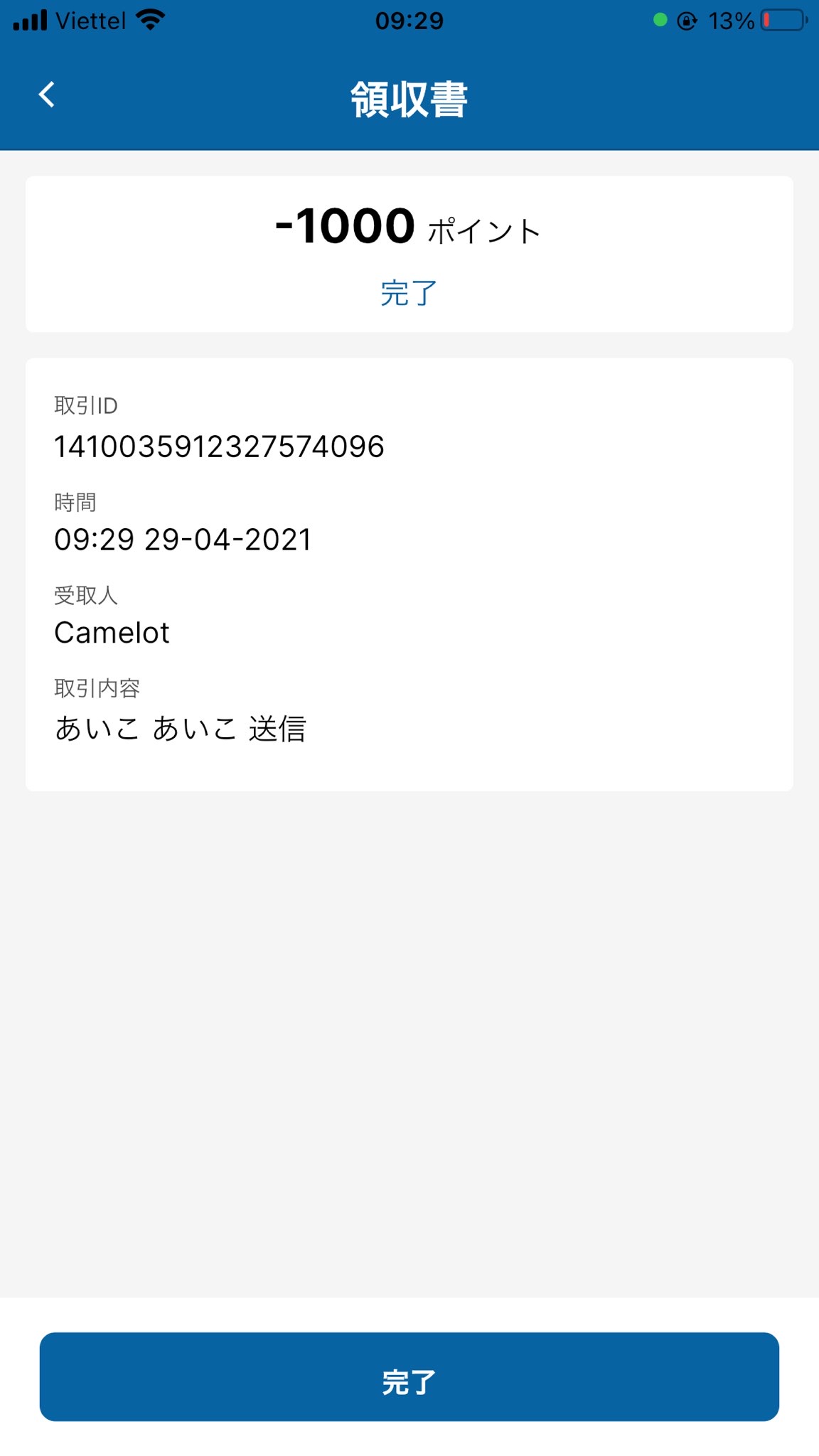
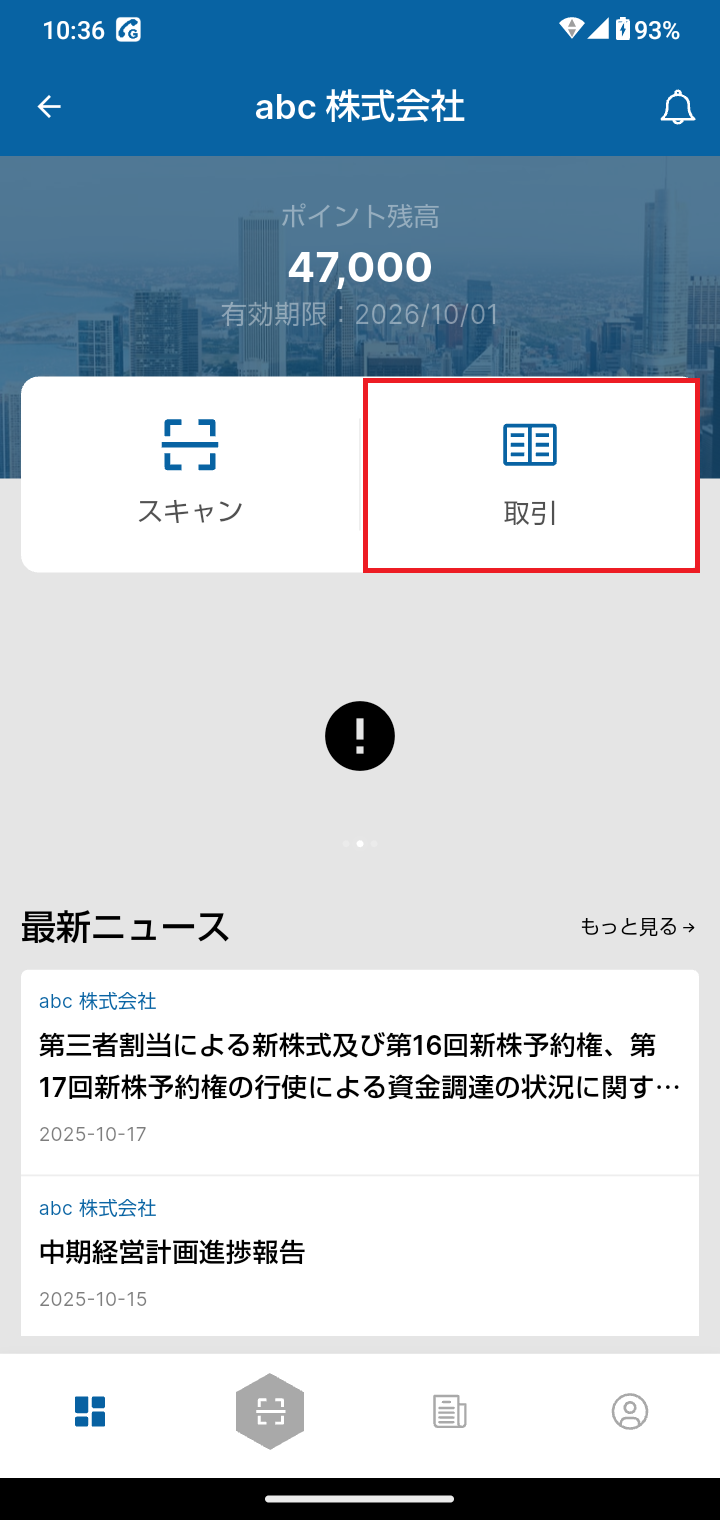
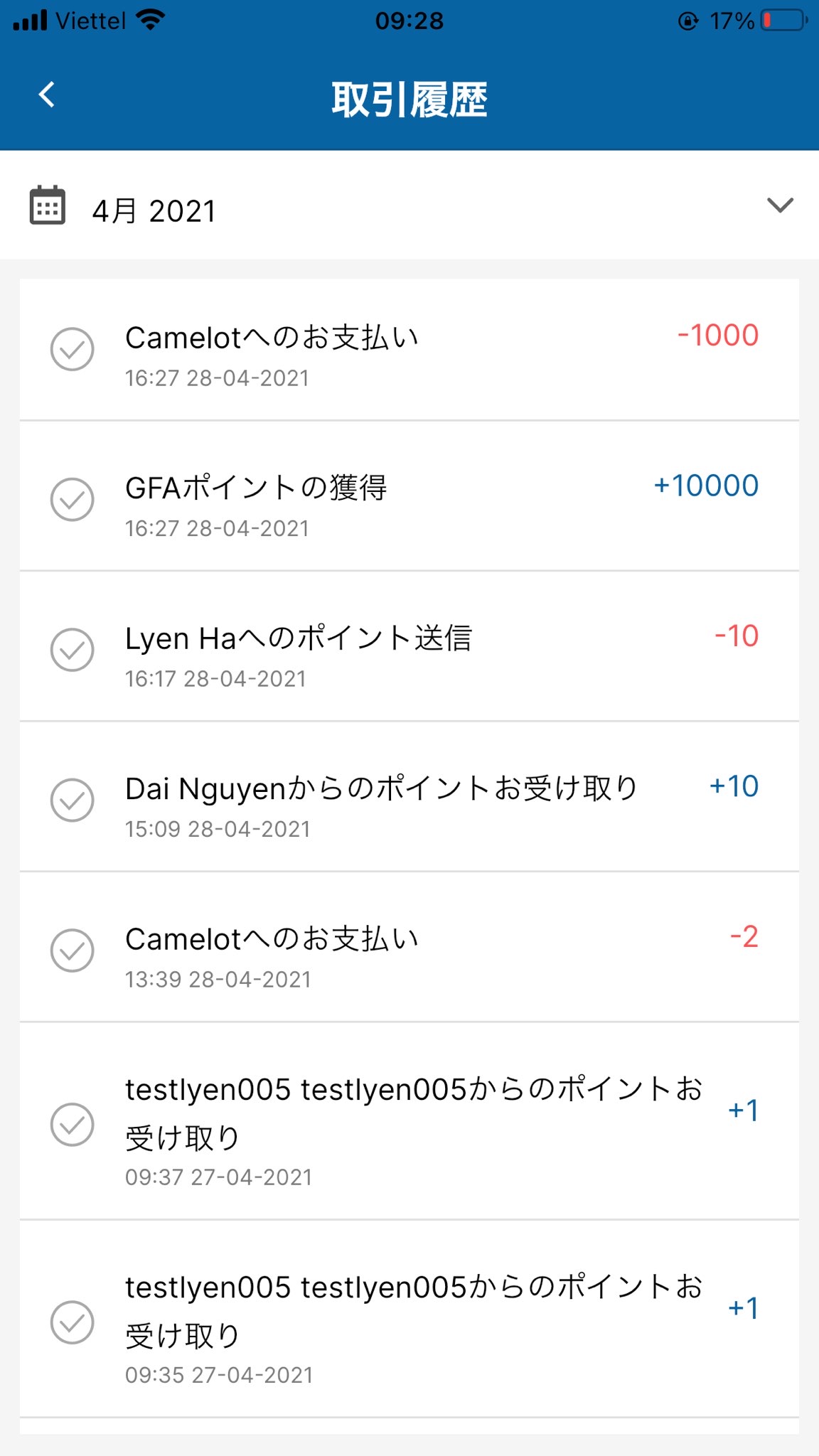
You can view your transaction details on the Transaction History screen.