How to change your password
Last updated: 2025/11/27
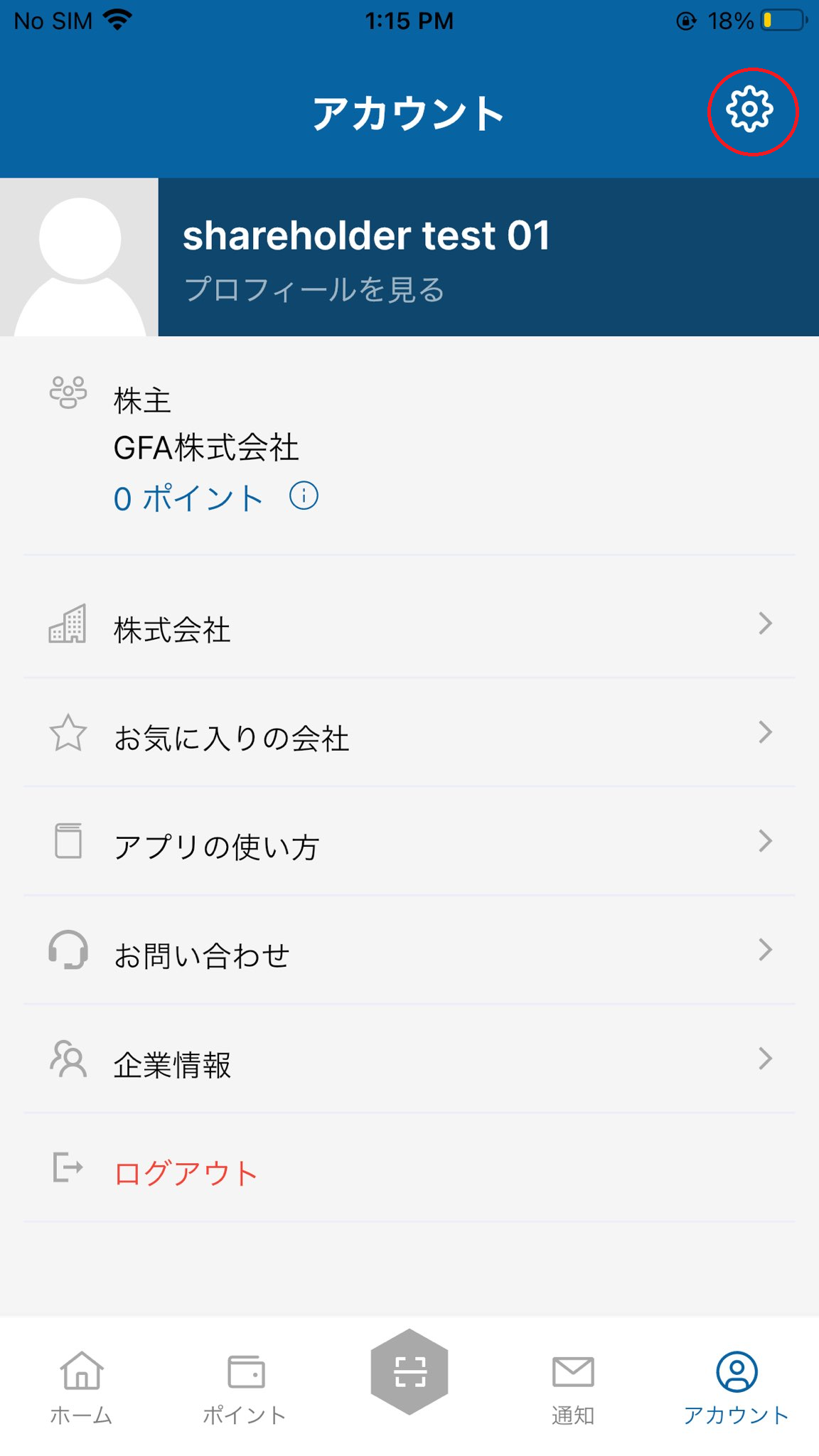
In the account menu, tap the Settings button in the top right corner.
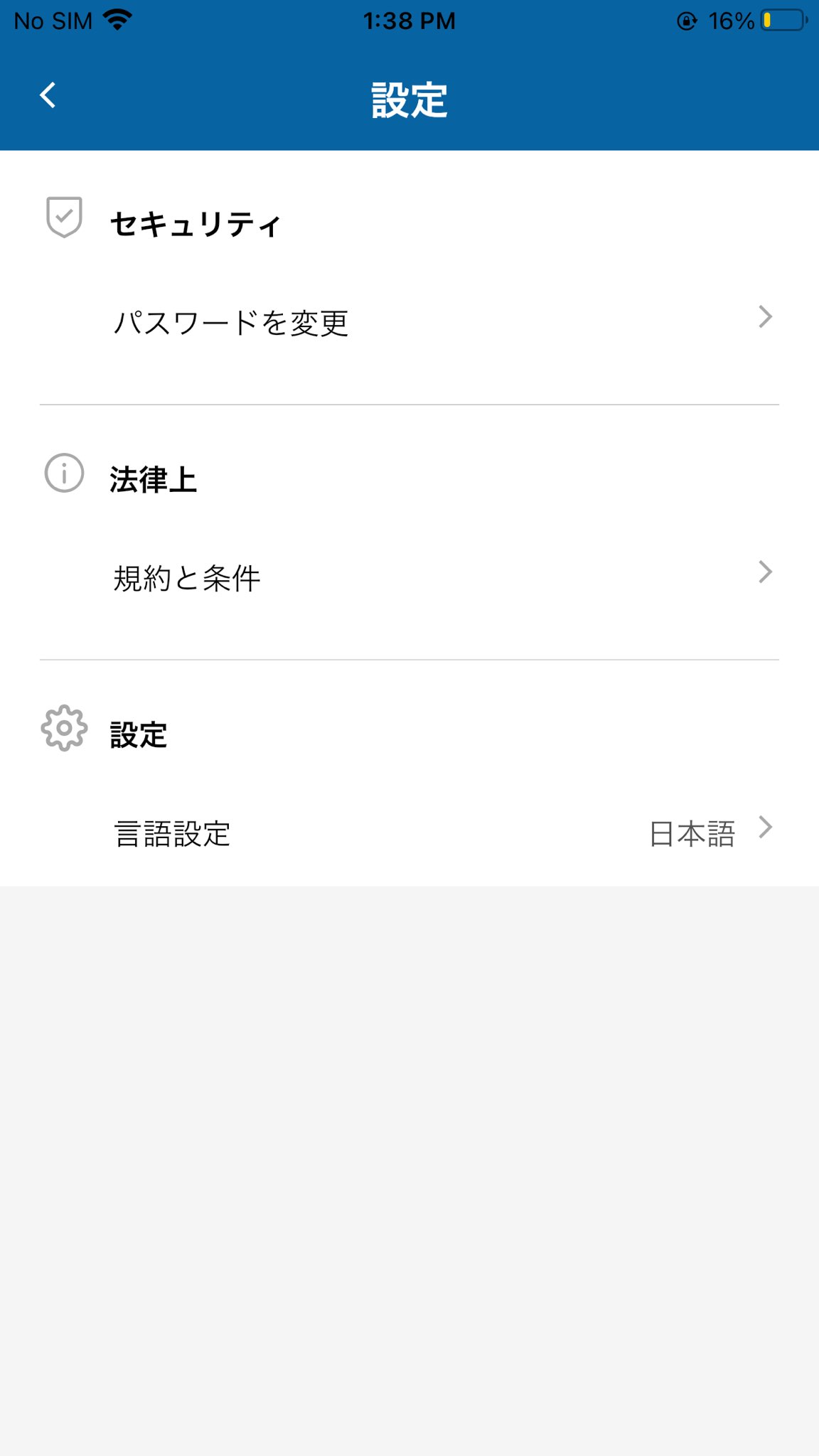
Under [Security], tap [Change Password].
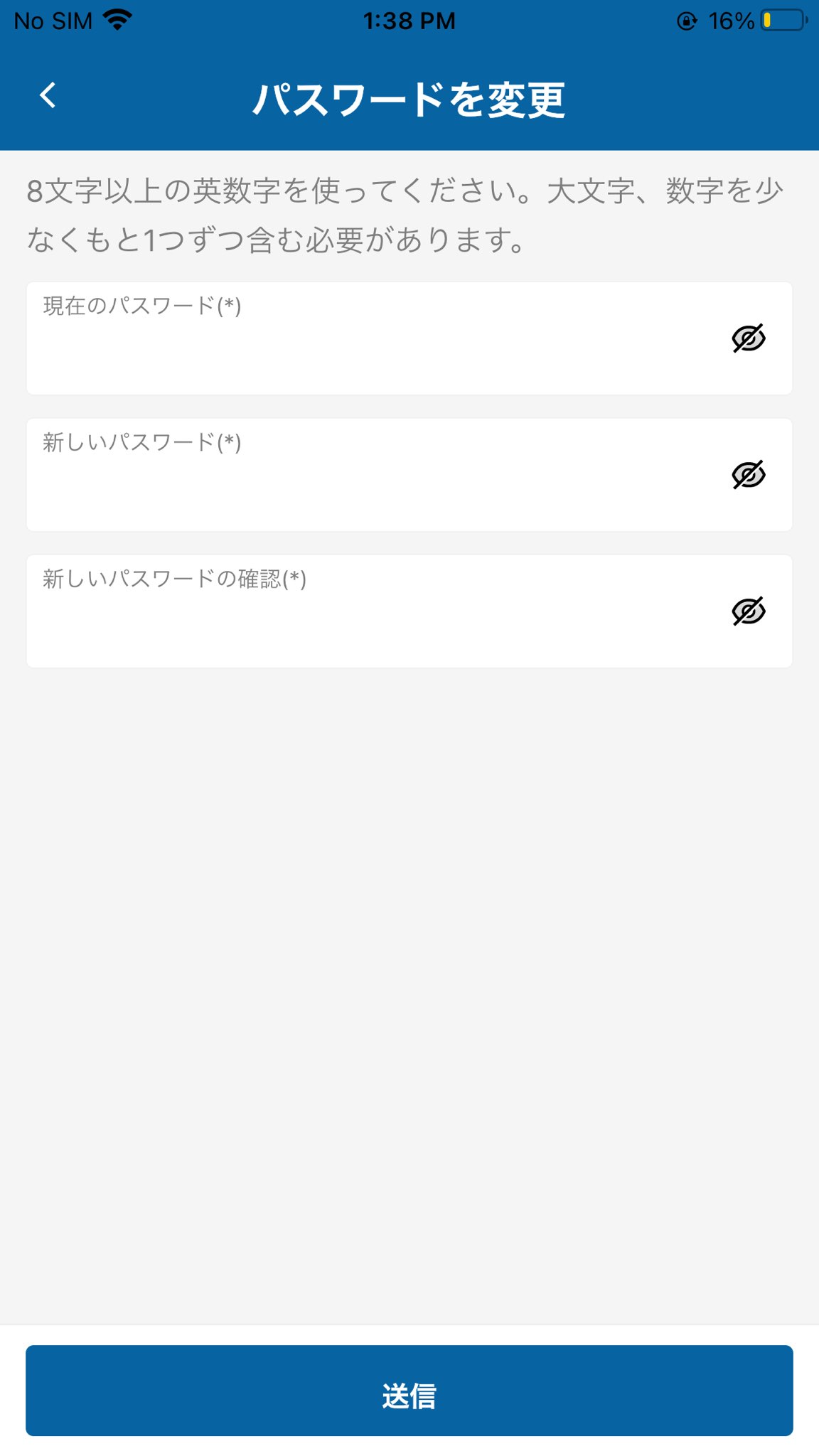
Enter your current password and your new password, then tap [SUBMIT] to change your password.